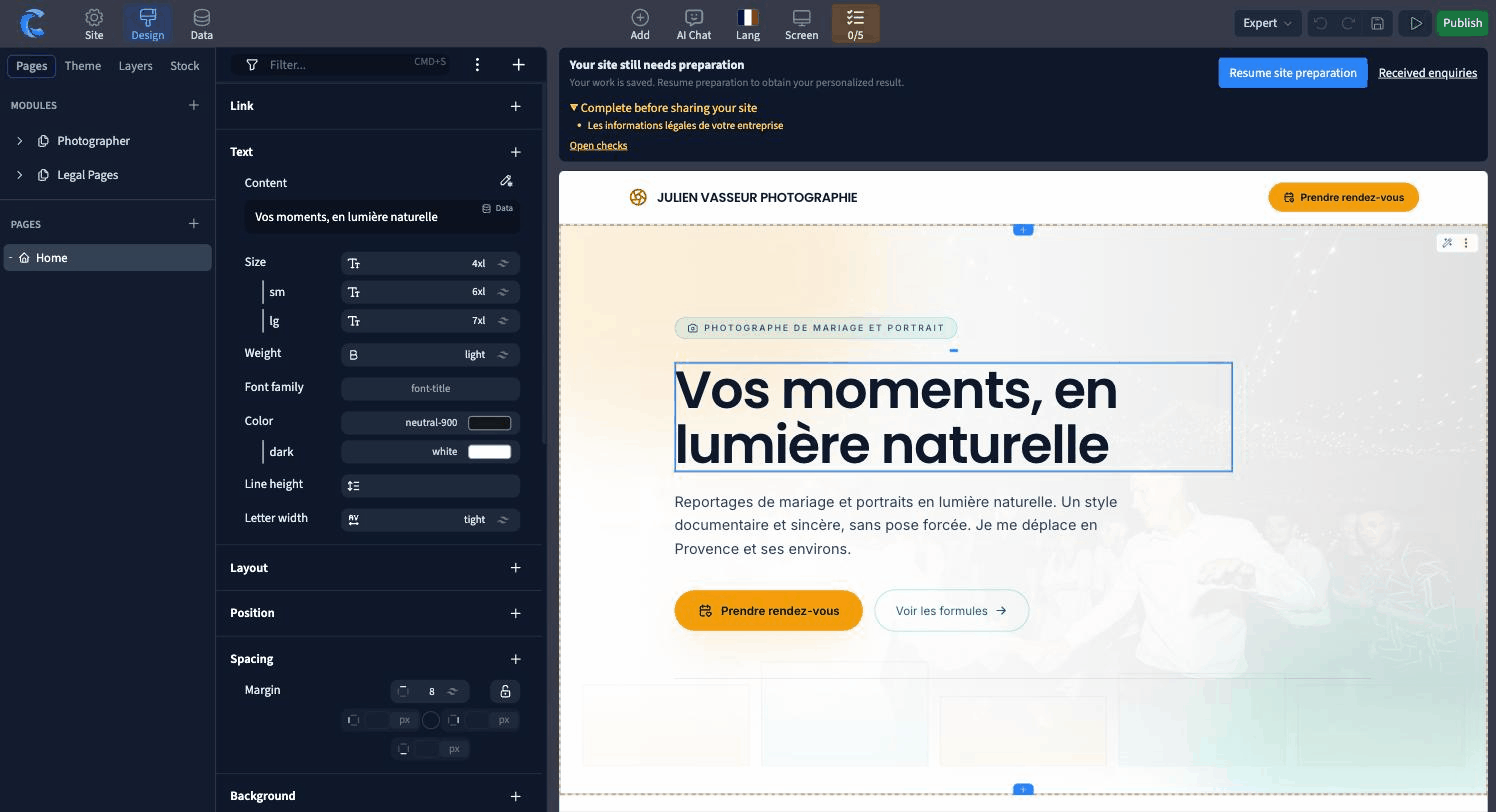
Work directly on the selected elementIntervenez sur l’élément sélectionné
Edit a heading, refine its spacing or adjust a background from the page. Use the short toolbar for quick content edits and the full style panel for the properties that need closer attention.Corrigez un titre, reprenez son espacement ou ajustez un fond depuis la page. Utilisez la barre courte pour les modifications de contenu et le panneau de style pour les propriétés qui demandent plus de précision.
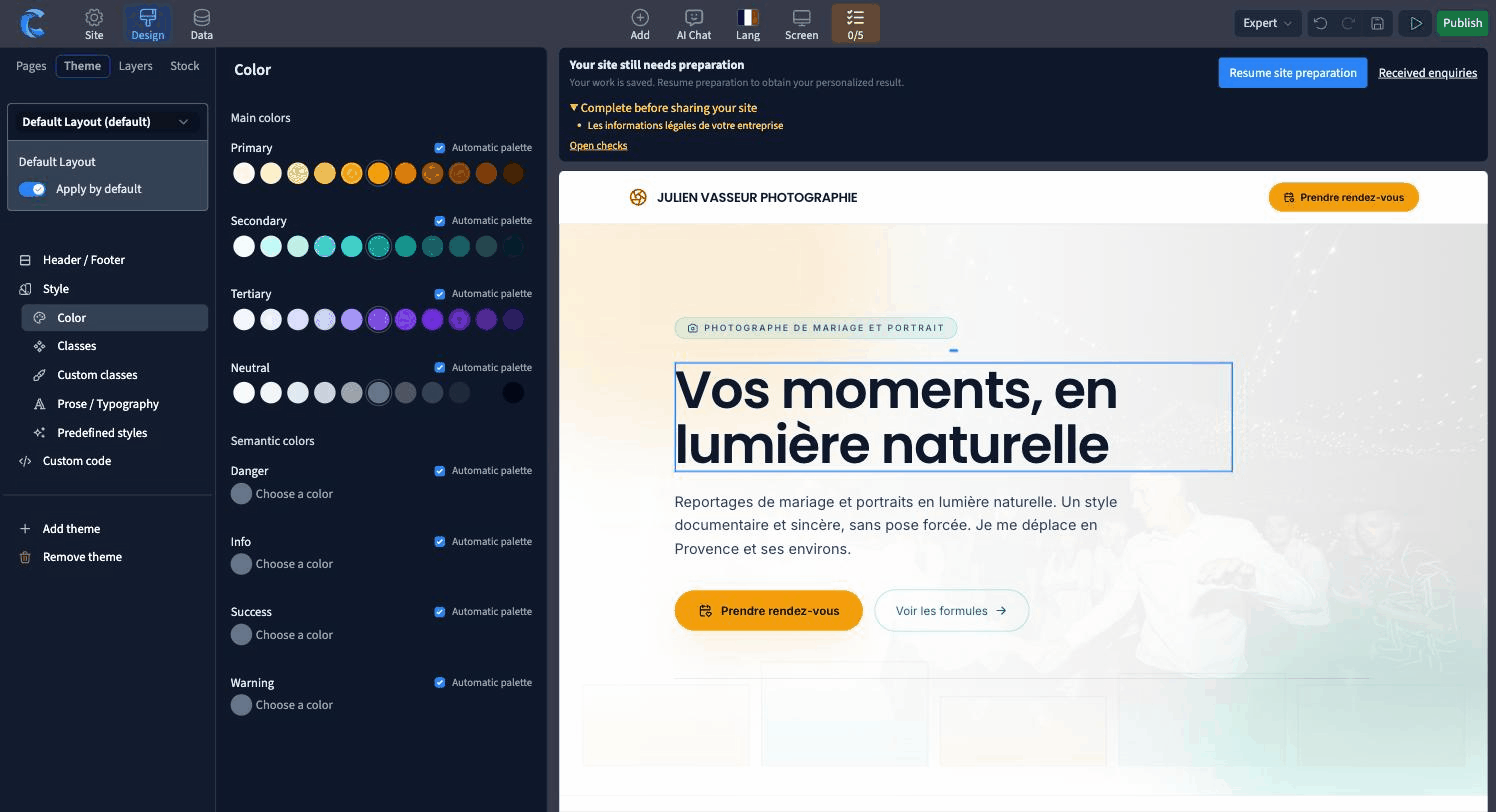
Set shared rules in the themeDéfinissez les règles communes dans le thème
Typefaces, color scales and shared styles help pages stay consistent. When several sections should use the same accent, use the theme’s color role so one change can carry through the site.Les polices, les gammes de couleurs et les styles communs donnent de la cohérence aux pages. Quand plusieurs sections partagent un accent, utilisez le rôle de couleur du thème pour qu’un réglage puisse se répercuter dans le site.
Preview each screen sizeContrôlez les différentes tailles d’écran
A heading that fits on desktop can wrap on a phone. Check the text, navigation and forms at the widths visitors use. Review both color modes when your site offers them.Un titre qui tient sur ordinateur peut revenir à la ligne sur téléphone. Vérifiez les textes, la navigation et les formulaires aux largeurs utilisées par vos visiteurs. Contrôlez aussi les deux thèmes si le site les propose.