
FEATUREFONCTIONNALITÉ / CMSCMS
Give every entry its own page.Donnez une page à chaque fiche.Design the template once.Concevez le modèle une seule fois.
Structure recurring content in collections. Use the same records to render cards in a listing and details at individual URLs.Structurez les contenus récurrents dans des collections. Utilisez les mêmes fiches pour alimenter les cartes d’une liste et les pages de détail.
WALKS COLLECTIONCOLLECTION BALADES
- Forest walkMarche en forêt
- 45 min
- Garden loopBoucle du jardin
- 20 min
ONE DETAIL TEMPLATEUN MODÈLE DE DÉTAIL
/walks/[slug]/balades/[slug]
/walks/forest-walk → 45 min/balades/marche-foret → 45 min
EXAMPLEEXEMPLE
A guesthouse builds a guide to nearby walksUne maison d’hôtes crée son carnet de balades
Each walk has a title, photo, duration and route notes. The agency builds a listing and a detail template. When the host adds a forest walk, the listing reads that record and its detail URL shows the matching content. The host maintains the information and the agency maintains the design.Chaque balade a un titre, une photo, une durée et des indications. L’agence crée une liste et un modèle de détail. Quand l’hôte ajoute une marche en forêt, la liste lit cette fiche et son adresse de détail affiche le bon contenu. L’hôte tient les informations à jour, l’agence maintient le design.
01
Model two real entries firstModélisez d’abord deux vraies fiches
Create title, slug, image, duration and rich-text fields. Add one short route and one longer route with an optional photo missing. This reveals which fields your template must handle.Créez les champs titre, slug, image, durée et texte enrichi. Saisissez un parcours court et un parcours plus long sans photo facultative. Vous verrez quels champs le modèle doit savoir traiter.
02
Connect the list and the detail pageReliez la liste et la page de détail
Repeat a card for each record in the listing. On the detail template, bind the URL parameter to the unique slug and connect the visible elements to their fields.Répétez une carte par fiche dans la liste. Sur le modèle de détail, associez le paramètre d’adresse au slug unique et reliez les éléments visibles à leurs champs.
03
Test with varied recordsTestez avec des fiches différentes
Open two real URLs from the listing in staging. Check that titles and photos change, optional fields have a deliberate fallback, and no card points to an empty address.Ouvrez en staging deux adresses réelles depuis la liste. Vérifiez que les titres et les images changent, que les champs facultatifs ont un comportement prévu et qu’aucune carte ne mène vers une adresse vide.
INSIDE COMMUNIKDANS COMMUNIK
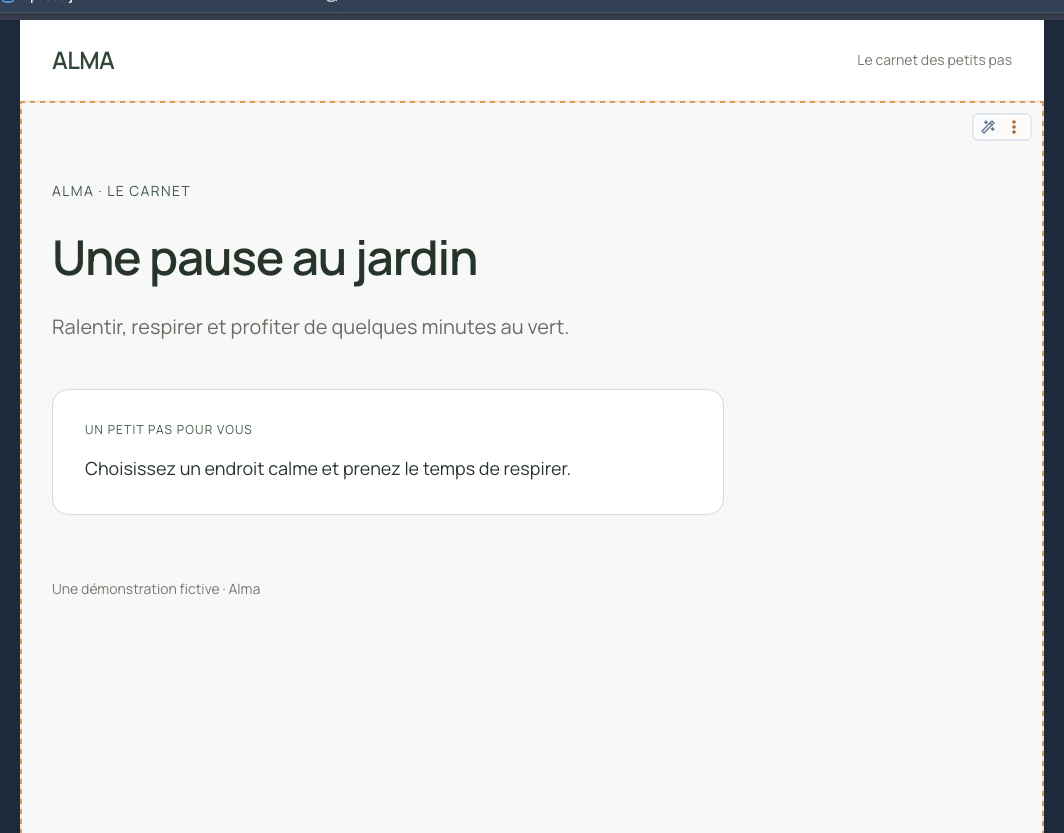
Connect a collection to a page.Relier une collection à une page.
The guide connects a detail template to the Escapades Alma collection.Le guide montre comment relier un modèle de détail à la collection Escapades Alma.
Recording from the documentation · French interface.Capture issue de la documentation · interface française.
Open the English documentation ↗COLLECTION FIELDSCHAMPS DE LA COLLECTION
The fields behind each walkLes champs derrière chaque balade
- Title and slugTitre et slug
- Forest walk → /walks/forest-walk. Keep the slug unique and stable.Marche en forêt → /balades/marche-foret. Gardez un slug unique et stable.
- Duration and photoDurée et photo
- Show them on the card and detail page. Plan a fallback if a photo is optional.Affichez-les sur la carte et la page de détail. Prévoyez le rendu si la photo est facultative.
- DirectionsIndications
- Keep the full route notes on the detail page, where visitors can read them at their own pace.Gardez les indications complètes sur la page de détail, où le visiteur pourra les consulter à son rythme.
Practical questionsQuestions pratiques
Do I need to create a page for every record?Faut-il créer une page par fiche ?
One connected template can serve the detail URLs. Each URL identifies its record by the slug you map to the route.Un seul modèle relié peut servir les adresses de détail. Chaque adresse identifie sa fiche par le slug associé à la route.
Does connecting a page replace fixed text?Connecter la page remplace-t-il les textes fixes ?
Connect the heading, image and other elements individually to their fields. Fixed labels such as “Duration” can stay in the template.Reliez le titre, l’image et les autres éléments à leurs champs. Les libellés fixes comme « Durée » peuvent rester dans le modèle.
When is a collection worth using?Quand une collection vaut-elle le coup ?
Use one when several items share a structure or need to appear in several places. A standalone campaign page can use regular blocks.Utilisez-en une quand plusieurs éléments partagent une structure ou doivent apparaître à plusieurs endroits. Une page de campagne unique peut rester composée de blocs classiques.