
Build a physiotherapist website patients understand at first glance
The surgeon has just said "physio three times a week". Back home, the patient looks for a physiotherapist nearby and wants three answers quickly: does this practice treat knees after surgery, can someone come to the house, and is there room this month? Communik helps you build a site that answers all three, with a page for each reason for coming, your home visit area, how the first assessment goes and a request form that arrives with the prescription details.
Describe your business.
The AI writes your site.
Free to build. No card. Hosting included.
Live previewMake it yours, live.
Make it yours, live.
Colours, fonts, your name: the preview follows.
- 5Create your site
- 6Go live
Add more to your site. Each extra ships with its pages, sample content and a link in your menu, and adapts to your colours.
BookingAdd
Online appointment scheduling with availability, reminders and calendar sync Premium module: from €19/month with a yearly plan, billed with your Communik subscription.
TestimonialsAdd
Showcase customer testimonials with ratings, photos, and optional video testimonials. Build trust with social proof.
BlogAdd
Complete blog with articles, categories, and authors. Includes every page and sample data so you can start right away.
Anything else (optional)
Your name and phone show up in the preview straight away. The rest is used to rewrite the site after you create your account.
Next: create your free account. Your site goes online at its own address, and the AI rewrites it with what you just told us.
Create my site · free, no cardLive preview of the chosen designLoads on the published page. This grey area is the preview slot.
Steps 4 and 5 happen after you create your account: the site is generated with your answers, then you publish it on your own domain when you are ready.
Ready-made designsSee your site before you sign up.
See your site before you sign up.
Designs already written for your trade.
Open a demo, click around, then use the one you like.
The chatRun your site from the chat.
Run your site from the chat.
A photo, an address, a page: no expert to pay.
Write what you want changed, the way you would send a text. The chat makes the change on your site.
ChatYour site
Change our address: 14 rue des Lilas, Nantes.
Done. The new address is on the home page, the contact page and the footer.
Add this photo to my gallery.
Drop it here, I will put it in the gallery.
Create a page for knee rehabilitation after surgery.
The page is ready, with a link in your menu.
In the editorEasy mode: you click, you change it.
Easy mode: you click, you change it.
The AI does what you do not know how to do.
Cabinet des Halles06 12 34 56 78
Move again without pain, with a physiotherapist who explains.
Edit the text
Easy mode
Click a text or a picture in the preview of your site and change it right there.
Rewrite my page for knee rehabilitation after surgery in a warmer tone.
The AI rewrites the page
The AI does the rest
Rewrite a page, add a section, change the colours: describe it, the AI builds it.
See it in actionOne minute to see how it works.
One minute to see how it works.
From the first sentence to the site online.
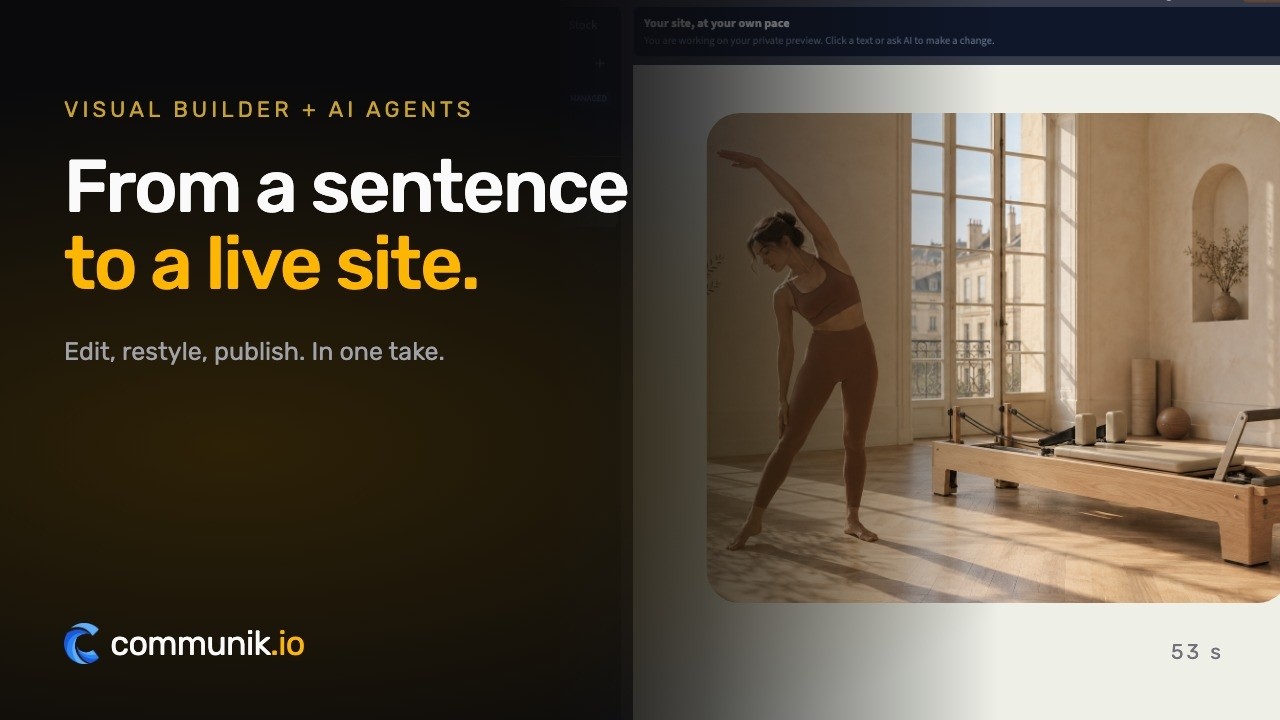
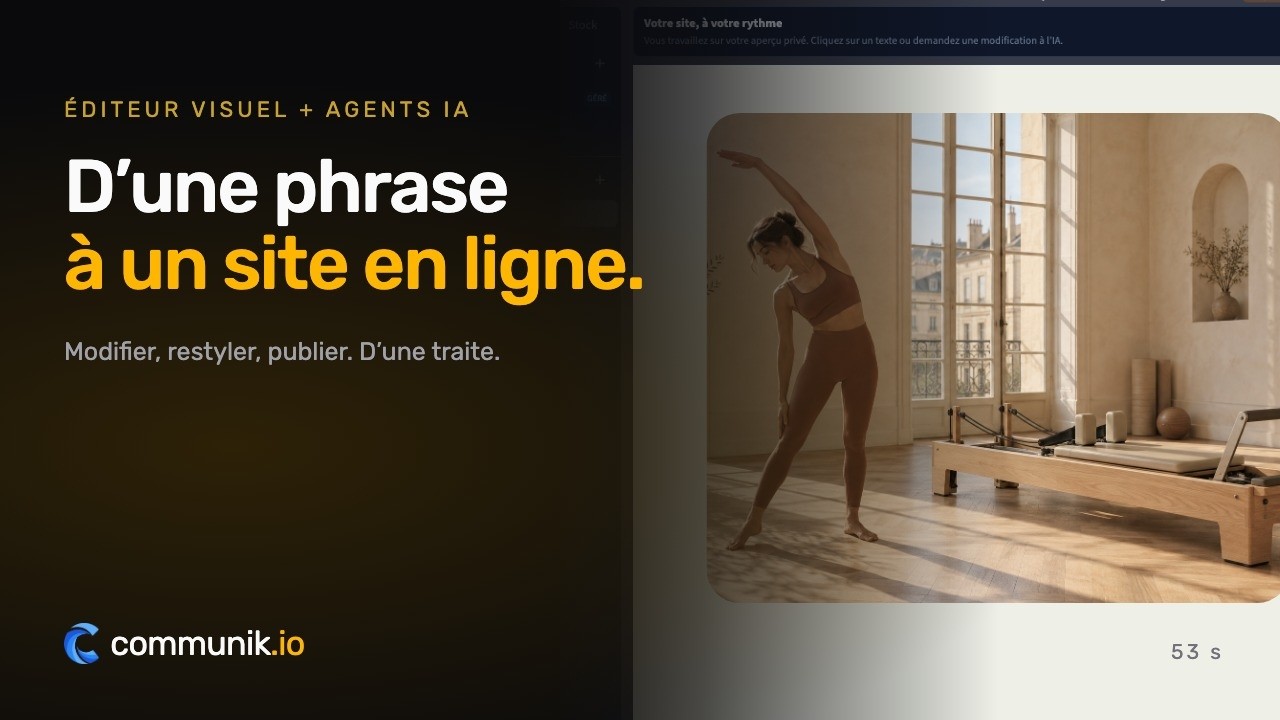
Real product captures, staged pointer and typing.
Online bookingYour customers book online.
Your customers book online.
A first assessment, a rehabilitation session, a home visit.
You set your hours, customers pick a slot on your site, the booking lands in your calendar.
From €19/ month, as an option
Book an appointment
Mon 6Tue 7Wed 8Thu 9
8:3010:0014:0015:3016:3018:00
Confirm Tuesday at 14:00What you get
A site that works while you work.
Four things that turn a visitor into a customer, in place from the first day.
Each reason for coming gets its page
Low back pain, knee or shoulder after surgery, sprains, return to sport, neck pain, balance: each with who it is for, how sessions go and where they take place.
Requests that arrive with the prescription details
The reason, whether there is a prescription, preferred days and a line for a surgery date or a home visit. You call back once, with the right slot.
Home visits written out clearly
Your area, your travelling mornings and what the doctor needs to write. Families organising care for a parent find it without having to ring.
Your practice name on screen in minutes
Choose a design, type the name of the practice and its number: the preview on this page updates as you type. An account only comes later, if you want to keep it.
The pages you get
Not an empty template to fill in: pages already written and already linked to each other, with example content you correct instead of writing from scratch.
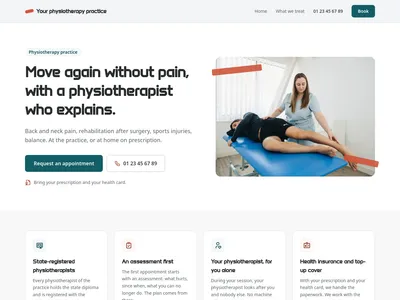
/Physiotherapy practice in your town: back pain, rehabilitation, home visits
Home page: the practice, its commitments, what it treats, the first session, what to bring, reviews, questions, hours and the appointment form
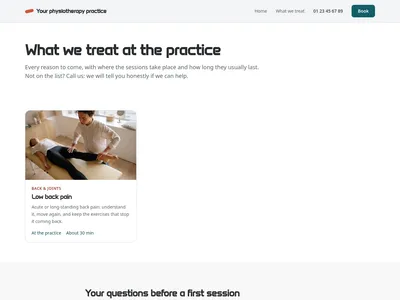
/careWhat we treat: back pain, rehabilitation after surgery, sports injuries, home visits
Everything the practice treats, the questions before coming and the appointment form

/care/[slug]Physiotherapy at the practice or at home
One page per reason for coming: who it is for, how sessions go, goals, good to know, and the appointment form
What is added to your project
Ready-to-use databases. Edit one row and every page that shows it updates.
Care
10 columns · 8 rowsCare, Slug, One-line description, Full description, Family, Where, Session length, Icon, Photo, Order
Questions
3 columns · 6 rowsQuestion, Answer, Order
The checklist
What your websitemust contain.
The sections that actually bring in enquiries, and the ones you can skip.
A page for each reason for coming
Back, knee, shoulder, ankle, balance: the words patients actually type.
The prescription question answered
What it changes for cover, and what to do without one.
Your home visit area, street by street
Villages or districts, mornings, and what the prescription must say.
State diploma and registration with the order
Stated plainly, as the professional code allows.
What to bring on day one
Prescription, health card, top-up insurance, imaging and surgery reports, loose clothes.
Step-free access and cancellation rule
Lift or ground floor, parking, and how long before a session to cancel.
01Budget
What it reallycosts.
Real figures, including what you pay elsewhere and what you no longer pay here.
Building the practice site
Creating the site and trying designs costs nothing, and no bank card is asked for. You see it with your own name and services before deciding anything.
Going live, booking and extra modules
Publishing on your domain is €14 excl. VAT a month, paid once a year, with hosting and the SSL certificate included. Online booking is an option from €19 excl. VAT a month, paid into your Stripe account without commission. The blog module can be added whenever you like.
What the site leaves to your other tools
Your practice management software, the health card reader, claims sent to the health insurance, and the domain name if you do not own one yet.
02To avoid
The mistakes thatcost you clients.
Seen on hundreds of sites in this trade, and each one is cheap to fix.
Listing techniques patients have never heard of
They search for "knee after surgery" or "back pain", not for the name of a method.
Leaving the prescription question to the phone
Every caller asks it; a clear paragraph saves you ten calls a week.
Keeping quiet about home visits
The family of an older patient looks for exactly that, and moves on if it is missing.
Promising recovery or quoting refund rates
A health professional describes goals and how sessions go, never a guaranteed outcome.
Comparing yourself with nearby practices
The professional code forbids it, and patients trust a practice that simply explains.
Most patients find you the same way: a prescription in one hand, a phone in the other, typing physiotherapist near me or physiotherapist Lyon. They are often in pain, sometimes just out of hospital, occasionally calling for a parent who cannot do it themselves, and they ring the first practice that makes things clear. A good site does that work before the phone rings.
What does the prescription change for my sessions?
It is the first question, so put the answer near the top. In France, a medical prescription is what lets the national health insurance cover the sessions in most cases, and the top-up insurance usually pays the remainder depending on the contract. Direct access without a prescription exists in some coordinated settings, such as a multidisciplinary health centre, for a limited number of sessions. Say which case applies to your practice and invite anyone unsure to call. Avoid quoting reimbursement rates: they change, and a wrong figure costs trust.
Name the problem, not the technique
Nobody searches for the name of a manual therapy method. People type "low back pain", "knee rehab after ligament surgery" or "sprained ankle that will not settle". Communik gives each reason for coming its own page: who it is for, how a session unfolds, roughly how long it lasts, and whether it happens at the practice, at home or both. Those pages also let someone searching knee rehabilitation physiotherapist land straight on the right answer.
Home visits: the page families look for
A daughter organising care for her father after a hip replacement is not reading your biography. She wants to know whether you travel, to which streets or villages, on which mornings, and what the doctor has to write on the prescription. Give that its own page, with the area spelled out. One of the designs puts the phone number and larger text first, for practices that see many older patients.
A physiotherapist website within the rules of the profession
The professional code lets you inform the public about your practice, provided the information stays accurate, fair and never comparative. The site is built along those lines: your state diploma and registration with the professional order, what you treat, how sessions go, your hours and access. No promise of recovery, no "best practice in town", no reimbursement figure you cannot back up. Patients meet a practice that explains rather than sells, and the practice keeps a site it can show to its professional order without a second thought.
Before the first appointment: the assessment and what to bring
- The assessment: questions, movement tests, goals agreed together and a first set of exercises for home.
- The paperwork: prescription, health insurance card, top-up insurance certificate, any X-ray, MRI or surgery report.
- Practical details: loose clothing or shorts, a towel, and how to cancel if something comes up.
The request form follows the same logic. It collects the reason, whether there is a prescription, preferred days and a line for a surgery date or a home visit, so you call back with a slot rather than a list of questions. If you would rather patients booked directly, the online booking option shows your free slots.
Open the preview, type your practice name and watch your physiotherapy site take shape in a few minutes.
Pricing€14 a month, once your site is live.
€14 a month, once your site is live.
Building it costs nothing.
Prices excluding VAT. €14 a month billed yearly, or €19 month to month. Cancel whenever you like.
SolopreneurOne site, online and looked after
€14/ month
- Your site on your own domain name
- Hosting and SSL certificate included
- The chat and the AI: 2,000 credits a month
Online booking
Option, add it whenever you want
No card to start. You choose your plan when you publish.
Done for youNo time? We do it all for you.
No time? We do it all for you.
From €1,200 excl. VAT.
Your showcase site and your modules installed: we create every page that presents your services and put the site online. You send us your photos, texts and business details, and that is what makes a site accurate.
- Every service you offer, with its own page
- Your modules installed and set up, online booking included
- Your domain name connected, the site published
- Everything stays editable afterwards
Starting at
€1,200 excl. VAT
An exact quote after a first conversation. You provide the photos, texts and information about your business.
Tell us about your projectWe get back to you to scope it together. No obligation.
A person answers you
A question? Write to me, I will answer.
I founded Communik and I read every request. Tell me about your business: we look at it together and I tell you plainly what you need, whether you build the site yourself or we build it for you.
Questions
Before you start.Everything else, just ask.
What people ask before they get going.
Can patients book their sessions online?
Yes, if you add the online booking option, from €19 excl. VAT a month. Patients pick a free slot among the ones you open, and if you ask for a deposit it goes to your own Stripe account, with no commission taken by Communik. Without the option, the site sends you appointment requests and you call back.
My practice offers direct access. Can the site say so?
Yes. By default the text explains that sessions are covered on prescription in most cases. If you work in a coordinated setting that allows direct access, you rewrite that paragraph in a few clicks to describe your situation.
How does the site show where I do home visits?
Every type of care has a field for where it takes place: practice, home, or both. You then write your area, streets or villages, on the home visits page, with the mornings you travel.
Will the site promise patients they will get better?
No. It describes how sessions go and the goals set with each patient. It never promises recovery and never states a reimbursement rate.
Does it replace my practice software or card reader?
No. The site informs patients and collects their requests. Your practice software, your health card reader and the claims you send to the health insurance stay where they are.
Can I publish advice on back pain or post-surgery exercises?
Yes, with the blog module. A short article on getting up from a chair after a knee operation, or on sitting at a desk with a sore back, helps patients and shows how you work.
Try it for real, the risk is on us
You saw your site above. Creating the account just makes it yours.
Free to build
Your site is generated and online at its own address at no cost. You pay only when you publish it on your own domain.
No commitment
Monthly subscription, cancel whenever you want. No setup fee, no 12-month contract, no sales call.
Everything included
Hosting, SSL, updates, contact and quote forms, reviews and local SEO structure. Nothing to install.
More trades
Another trade?
Each one comes with its own live demo site you can browse before you start: same editor, same price, content already written for that job.