
Create a hair salon website that fills your chairs
Nobody picks a salon on price alone. They pick on the photos. Yours are on Instagram, buried under three months of stories, and your rates are nowhere to be found. A website puts the work, the prices and the booking link in one place Google actually knows how to find.
Describe your business.
The AI writes your site.
Free to build. No card. Hosting included.
Live previewMake it yours, live.
Make it yours, live.
Colours, fonts, your name: the preview follows.
- 5Create your site
- 6Go live
Add more to your site. Each extra ships with its pages, sample content and a link in your menu, and adapts to your colours.
BlogAdd
Complete blog with articles, categories, and authors. Includes every page and sample data so you can start right away.
FAQAdd
Complete FAQ section with categories and accordion-style questions. Perfect for help centers and support pages.
TestimonialsAdd
Showcase customer testimonials with ratings, photos, and optional video testimonials. Build trust with social proof.
GalleryAdd
Media gallery with albums, images, and videos. Perfect for visual showcase and portfolio.
BookingAdd
Online appointment scheduling with availability, reminders and calendar sync Premium module: from €19/month with a yearly plan, billed with your Communik subscription.
Anything else (optional)
Your name and phone show up in the preview straight away. The rest is used to rewrite the site after you create your account.
Next: create your free account. Your site goes online at its own address, and the AI rewrites it with what you just told us.
Create my site · free, no cardLive preview of the chosen designLoads on the published page. This grey area is the preview slot.
Steps 4 and 5 happen after you create your account: the site is generated with your answers, then you publish it on your own domain when you are ready.
Ready-made designsSee your site before you sign up.
See your site before you sign up.
Designs already written for your trade.
Open a demo, click around, then use the one you like.
The chatRun your site from the chat.
Run your site from the chat.
A photo, an address, a page: no expert to pay.
Write what you want changed, the way you would send a text. The chat makes the change on your site.
ChatYour site
Change our address: 14 rue des Lilas, Nantes.
Done. The new address is on the home page, the contact page and the footer.
Add this photo to my gallery.
Drop it here, I will put it in the gallery.
In the editorEasy mode: you click, you change it.
Easy mode: you click, you change it.
The AI does what you do not know how to do.
Hairdresser06 12 34 56 78
Your work, not stock photos
Edit the text
Easy mode
Click a text or a picture in the preview of your site and change it right there.
Rewrite my page in a warmer tone.
The AI rewrites the page
The AI does the rest
Rewrite a page, add a section, change the colours: describe it, the AI builds it.
See it in actionOne minute to see how it works.
One minute to see how it works.
From the first sentence to the site online.
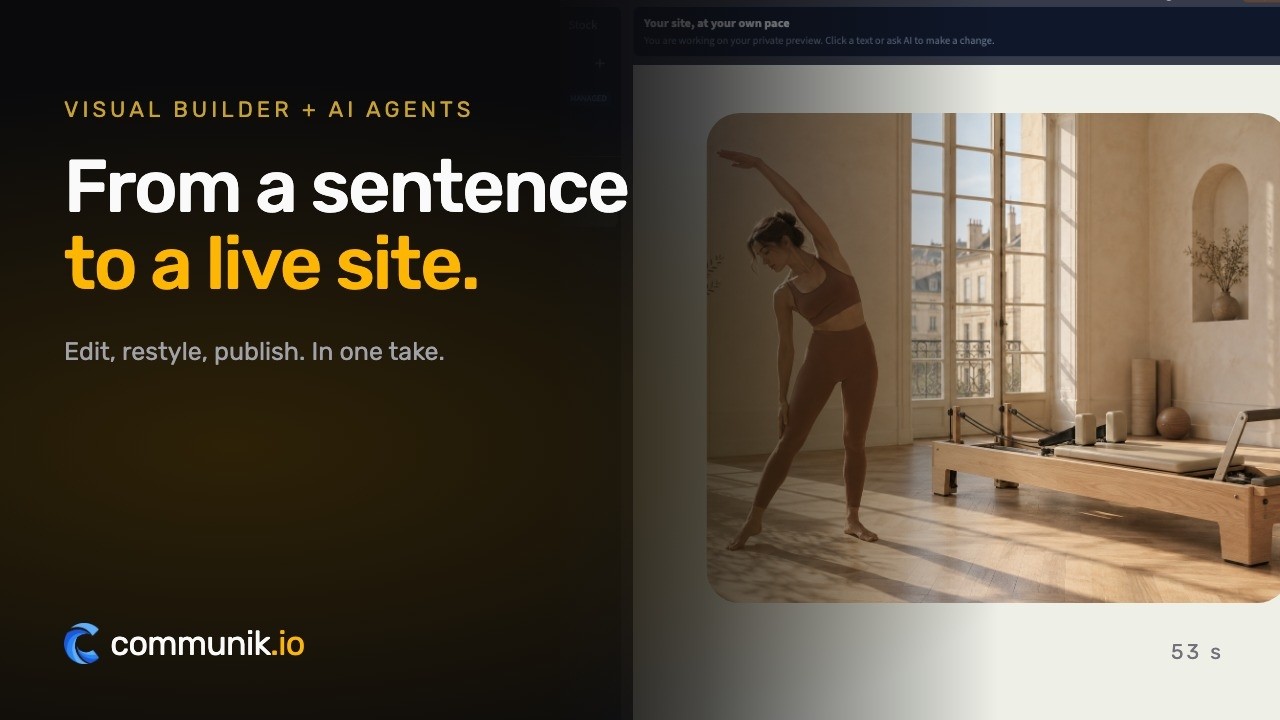
Real product captures, staged pointer and typing.
Online bookingYour customers book online.
Your customers book online.
You set your hours, customers pick a slot on your site, the booking lands in your calendar.
From €19/ month, as an option
Book an appointment
Mon 6Tue 7Wed 8Thu 9
8:3010:0014:0015:3016:3018:00
Confirm Tuesday at 14:00What you get
A site that works while you work.
Four things that turn a visitor into a customer, in place from the first day.
Your work, not stock photos
A gallery of your own cuts and colours: the only proof that convinces someone to sit in your chair.
Prices stated, no awkward call
Cut, colour, balayage: rates visible up front, so the first conversation isn't about money.
Booking without the phone
A form, or the booking tool you already use, reachable in one tap from every page, including at 10pm.
Found by the people nearby
Your neighbourhood, hours and address where Google reads them, so you appear in local searches.
The pages you get
Not an empty template to fill in: pages already written and already linked to each other, with example content you correct instead of writing from scratch.

/Hair salon, cuts, colour and care, prices and online booking
Home page: the salon, the featured services with prices, the team and their specialities, the salon itself, opening hours, reviews and the booking form

/servicesPrice list, cuts, colour, care and styling
The complete price list, one section per category, each service linking to its own page
![Preview of the /services/[slug] page](https://static.communik.io/modules/screenshots/hairdresser-t0-p2-71d05fc0-t400.webp?v=1788844928566)
/services/[slug], price, duration and booking
One page per service: who it suits, how the appointment goes, how long it takes, what it costs, and the booking form
What is added to your project
Ready-to-use databases. Edit one row and every page that shows it updates.
Services
8 columns · 14 rowsService name, Slug, One-line description, Full description, Price, Duration, Category, Order
Stylists
7 columns · 4 rowsName, Slug, Role, Speciality, Short bio, Photo, Order
Search for "hair salon website" and Google mostly hands you booking marketplaces, a directory and two chains. Useful tools, all of them. None of them are yours. The profile, the reviews and the next appointment live on someone else's platform, and the day their terms change, so does your diary. Your own site is the one address nobody can take back. Here is what belongs on it.
Five blocks every hair salon website needs
- A service menu with prices. Cut, colour, balayage, blow dry, treatments, with what each one costs and how long it takes.
- Online booking that still works at eleven at night. The phone rings while you are mid colour. The booking page needs nothing from you.
- Photos of your own work. Real clients, real light, before and after. A stock model with impossible hair says nothing about your hands.
- Opening hours, address and where to park. Dull, and the most read block on the entire site.
- Your team. People book a person, not a building. Give every stylist a name, a face and a speciality.
Show your prices, even the awkward ones
A service menu with no figures reads as "if you have to ask". Publish a price for everything you can, and a starting point for the jobs that genuinely depend on the head in front of you, colour corrections and extensions first among them. One line explaining what moves the price is enough. The client who books after reading it is the client who does not flinch at the till.
Instagram is your window, not your shop
Your feed is where people admire the work, and it should stay that way. It is a miserable place to answer "are you open on Monday", "how much for a root touch up" and "can I have Thursday at six". All three end up buried under a grid, on a platform that decides who sees you. Keep posting, point the link in your bio at your own site, and let the site do the dull profitable work.
Ask for reviews too, at the right moment. 96% of consumers are open to writing your business a review (BrightLocal, 2025, US panel), and in beauty they expect that request around three days to a week after the appointment, not while they are still getting their coat.
None of this needs a designer. The Communik hairdresser module already ships with the service menu, the gallery, the opening hours and the booking page in place, mobile first, waiting for your text and your photos. You fill it in and publish when it looks like your salon. Starting costs nothing.
Pricing€14 a month, once your site is live.
€14 a month, once your site is live.
Building it costs nothing.
Prices excluding VAT. €14 a month billed yearly, or €19 month to month. Cancel whenever you like.
SolopreneurOne site, online and looked after
€14/ month
- Your site on your own domain name
- Hosting and SSL certificate included
- The chat and the AI: 2,000 credits a month
Online booking
Option, add it whenever you want
No card to start. You choose your plan when you publish.
Done for youNo time? We do it all for you.
No time? We do it all for you.
From €1,200 excl. VAT.
Your showcase site and your modules installed: we create every page that presents your services and put the site online. You send us your photos, texts and business details, and that is what makes a site accurate.
- Every service you offer, with its own page
- Your modules installed and set up, online booking included
- Your domain name connected, the site published
- Everything stays editable afterwards
Starting at
€1,200 excl. VAT
An exact quote after a first conversation. You provide the photos, texts and information about your business.
Tell us about your projectWe get back to you to scope it together. No obligation.

A person answers you
A question? Write to me, I will answer.
I founded Communik and I read every request. Tell me about your business: we look at it together and I tell you plainly what you need, whether you build the site yourself or we build it for you.
Questions
Before you start.Everything else, just ask.
What people ask before they get going.
Can clients book online?
Yes: either a simple request form, or a link to the booking tool you already use. The site works with both.
Do I need professional photos?
No. Daylight photos taken on your phone work well, and Communik optimizes them automatically.
Can I change my prices myself?
In seconds, from your phone. No developer, no waiting for someone to call you back.
How much does it cost?
Free to build; publishing on your domain starts at €14/month, with hosting, SSL and SEO included.
Try it for real, the risk is on us
You saw your site above. Creating the account just makes it yours.
Free to build
Your site is generated and online at its own address at no cost. You pay only when you publish it on your own domain.
No commitment
Monthly subscription, cancel whenever you want. No setup fee, no 12-month contract, no sales call.
Everything included
Hosting, SSL, updates, contact and quote forms, reviews and local SEO structure. Nothing to install.
More trades
Another trade?
Each one comes with its own live demo site you can browse before you start: same editor, same price, content already written for that job.