

Blog
Complete blog with articles, categories, and authors. Includes every page and sample data so you can start right away.
7 designs · 5 pages
Complete features with multiple pages, data collections, and design variants. Each module installs with realistic sample data and is ready to customize.
51 items
Complete blog with articles, categories, and authors. Includes every page and sample data so you can start right away.
7 designs · 5 pages


Display product updates and release notes with tags. Perfect for SaaS and software products.
3 designs · 2 pages

Complete FAQ section with categories and accordion-style questions. Perfect for help centers and support pages.
3 designs · 1 pages

Complete glossary with alphabetical navigation, categories, and related terms. Perfect for knowledge bases and documentation sites.
3 designs · 2 pages

Downloadable resources library with categories, file formats, and featured items. Perfect for guides, templates, ebooks, and checklists.
3 designs · 2 pages

Showcase your team members with photos, bios, and social links. Organized by departments.
3 designs · 2 pages

Showcase client success stories with industry filters, metrics, testimonials, and image galleries. Perfect for demonstrating expertise and results.
3 designs · 2 pages

Showcase your services with detailed pages, pricing, and feature lists. Perfect for agencies and consultants.
3 designs · 2 pages

Showcase creative projects with category filters, client info, and image galleries. Perfect for agencies, designers, and developers.
3 designs · 2 pages

Showcase customer testimonials with ratings, photos, and optional video testimonials. Build trust with social proof.
3 designs · 1 pages

Display awards, certifications, and recognition with categories, timeline view, and visual badges.
3 designs · 2 pages

Display your product roadmap with kanban-style status columns, priorities, and feature details.
3 designs · 2 pages

Professional documentation with hierarchical categories, search, sidebar navigation, and clean typography. Perfect for product docs and guides.
3 designs · 3 pages

Complete podcast management with seasons, episodes, guests, audio player, and platform links.
3 designs · 3 pages

Help center with prominent search, popular articles, feedback system, and related articles. Perfect for customer support and self-service.
3 designs · 3 pages

Press room with releases, media coverage, and downloadable assets. Perfect for PR and media relations.
3 designs · 2 pages

Host and manage webinars with categories, speakers, registration, and replay functionality.
3 designs · 2 pages

Offices and locations with addresses, hours, and contact information. Perfect for multi-site businesses.
3 designs · 2 pages

Job board with departments, locations, and detailed descriptions. Perfect for recruiting and careers pages.
3 designs · 2 pages

Media gallery with albums, images, and videos. Perfect for visual showcase and portfolio.
3 designs · 2 pages

Structured tutorials with difficulty levels, duration estimates, prerequisites, and progression paths. Perfect for learning platforms and educational content.
3 designs · 3 pages

Versatile directory for listing people, companies, tools, or applications. Features categories, tags, and detailed profiles.
3 designs · 3 pages

Present your product features with categories, icons, and full details. Ideal for SaaS product pages.
3 designs · 3 pages

Complete recipe module with ingredients, steps, prep time, difficulty, and nutrition facts. Ideal for food and lifestyle sites.
3 designs · 3 pages

Display your company timeline with milestones, achievements, and key dates. Perfect for About pages and company history.
3 designs · 2 pages

A complete plumbing website: emergency call-outs, services with starting prices, the towns you cover, the guarantees that let someone hand you their keys, and a quote form built to price the job without a visit. Built for the trade, not adapted from a generic template.
10 designs · 3 pages
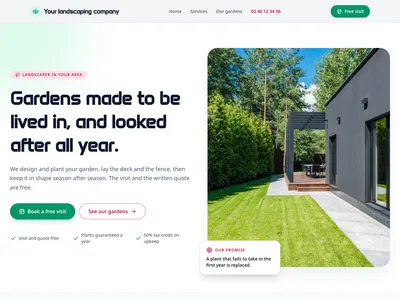
A complete website for a landscaping business: finished gardens to show, services with starting prices, the 50% tax credit on garden upkeep explained, the towns covered with their maintenance rounds, and a quote form that asks for the garden address and the project.
10 designs · 3 pages
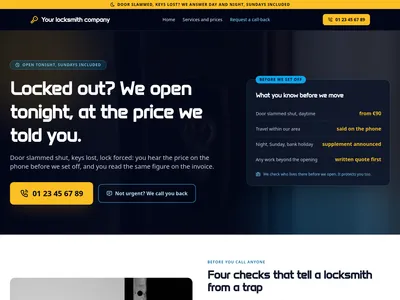
A complete locksmith website: door openings day and night, every job with its starting price, the certified locks you fit, the towns you cover, and the proof that the price is said before anyone sets off. Built for a trade where transparency is what wins the call.
10 designs · 3 pages
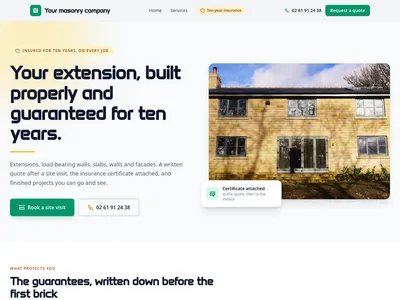
A complete website for a mason: house extensions, load-bearing walls, slabs, garden and boundary walls, facades. Past projects with photos, the guarantees that protect the homeowner, the towns you cover and a site quote form that asks for the address, the size and the timing.
10 designs · 3 pages

A complete restaurant website: the menu by category with prices, a table reservation form, opening hours and directions, the story of the house and guest reviews. Built for restaurateurs, not adapted from a generic template.
5 designs · 3 pages

A complete roofing website: storm tarping and leak repair, tile, slate and zinc work with starting prices, finished roofs to show, the guarantees and rules a homeowner needs to hear, and a quote form that asks for the roof type and area.
10 designs · 3 pages
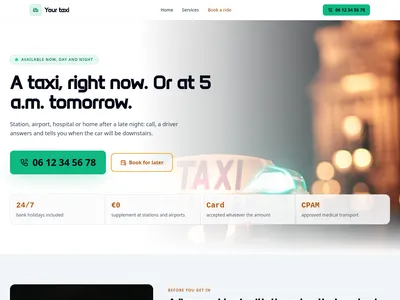
A complete website for a taxi driver or a small taxi company: rides booked in advance, airport and station transfers, approved medical transport, the trips people ask for most with their fare, the vehicles, and a booking form that asks for pickup, destination, time, passengers and luggage.
10 designs · 3 pages
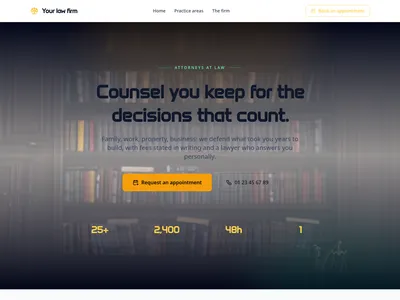
A complete law firm website: practice areas with honest fee guidance, the lawyers with their bar credentials, how fees actually work, and a confidential appointment form on every key page. Built for a firm, not adapted from a generic template.
5 designs · 3 pages
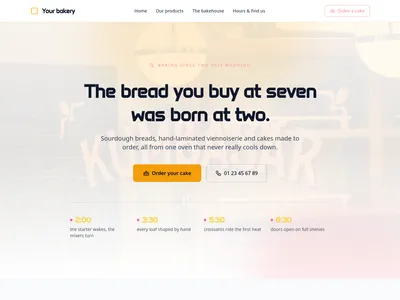
A complete bakery and pastry shop website: products by range with prices, the opening hours people actually check, a special-order form for birthday cakes and buffets, the craft behind the bread, allergen information and customer reviews. Built for bakers, not adapted from a generic template.
5 designs · 3 pages
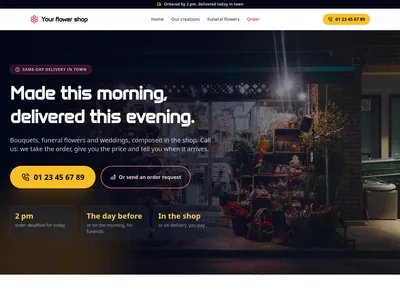
A complete website for an independent flower shop: creations with photos and starting prices, funeral flowers delivered to the funeral home, weddings and office subscriptions, the towns you deliver to with lead times and fees, and an order request form that ends with a phone call, not a checkout.
10 designs · 3 pages
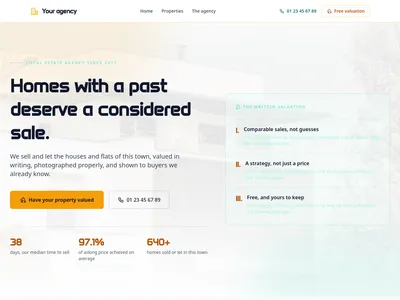
A complete estate-agency website: properties for sale and to let with the criteria buyers actually compare, a free-valuation form (the lead magnet of the trade) a viewing request on every listing, the agents with their patch, and fees stated before the mandate. Built for an agency, not adapted from a generic template.
5 designs · 3 pages
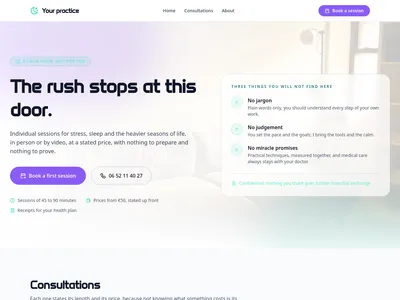
A complete practice website: consultations with visible lengths and prices, how a session actually goes, the practitioner’s training and ethics, the practice and its access, and a gentle appointment form on every key page. Built for a practitioner, not adapted from a generic template.
5 designs · 3 pages

A complete coaching website: programs with a stated duration, session count, format and price, the method published step by step, client outcomes as proof, the coach’s credentials (ICF), and a free discovery session form on every key page. Built for a coaching practice, not adapted from a generic template.
5 designs · 3 pages
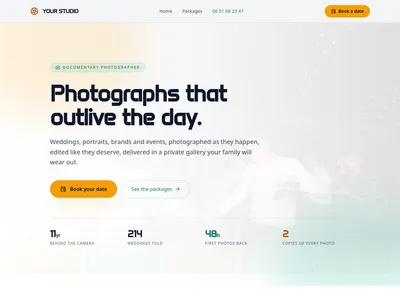
A complete photographer website: packages with prices and exactly what they deliver, a portfolio sorted by universe, the way a shoot unfolds from scouting to delivery, and a booking form that asks for the date first. Built for working photographers, not adapted from a generic portfolio.
5 designs · 4 pages
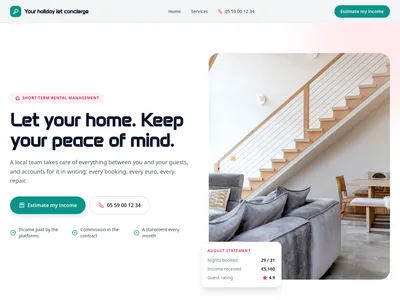
A complete website for a short-term rental concierge: what you take off owners' hands and how each part is paid, one commission stated upfront, the homes you already manage, the towns you cover, the paperwork you handle with them, and an income-estimate form built to win new properties.
10 designs · 3 pages
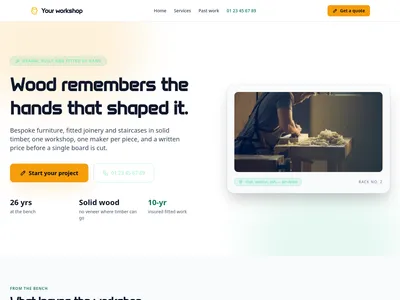
A complete cabinetmaker website: bespoke services with honest price ranges and lead times, a portfolio of past commissions with timber and build time, how a commission unfolds from sketch to fitting, the guarantees that protect the client, and a quote form that asks about the project. Built for the workshop, not adapted from a generic template.
5 designs · 4 pages

A complete joinery website for the tradesman who fits windows, doors, shutters, staircases, fitted wardrobes and floors in people's homes: every job with a starting price and lead times, recent projects, the choice between wood, PVC and aluminium explained, the grants and reduced VAT, the guarantees, and a quote form that asks for the address and rough sizes.
10 designs · 4 pages
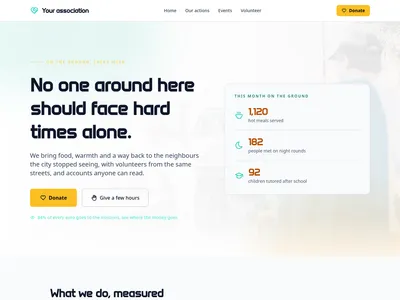
A complete nonprofit website: the mission stated up front, programmes with measured impact, a donate call-to-action backed by the 66% tax deduction, a volunteer sign-up form, upcoming events and transparent figures on where the money goes. Built for associations, not adapted from a corporate template.
5 designs · 3 pages

A complete electrician website: emergency call-outs, consumer unit and rewiring work with safety notes on every job, EV charge points and smart-home installs, the towns you cover with response times, and a free quote form. Built for the trade, not adapted from a generic template.
10 designs · 3 pages

A complete hair salon website: the full price list by category with durations, online booking requests, the team and what each stylist is best at, the salon itself, opening hours and client reviews. Built for salon owners, not adapted from a generic template.
5 designs · 3 pages

Display pricing plans with monthly/yearly toggle, feature comparison, and FAQ section. Perfect for SaaS and subscription-based products.
3 designs · 1 pages

Showcase your partners with logo carousel, featured partners with quotes, and category grouping. Perfect for building trust and credibility.
3 designs · 2 pages

Comprehensive comparison tables for products, services, tools, or plans. Includes rating systems, pros/cons lists, and recommendation badges to help users make informed decisions.
3 designs · 2 pages

Complete legal documentation module with Terms of Service, Privacy Policy, Cookie Policy, and more. Essential for any professional website.
3 designs · 2 pages

Product catalog for showcasing your offerings. Perfect for showrooms, portfolios, and catalog websites without e-commerce.
3 designs · 3 pages
Nothing matches this filter.
Guide
Modules go beyond static templates. While a section gives you a single block and a page template gives you a layout, a module delivers an entire feature: pages, data structures, navigation entries, and design variants — all wired together and ready to customize with real content.
Take the blog module as an example. It includes an article listing page with pagination and filters, individual article pages with rich text and media support, category and tag archive pages, author profile pages, a sidebar widget for recent posts, and a newsletter integration point. All of this comes with realistic sample data (articles, images, author bios) so you see exactly how it looks before going live. Each module offers 3-7 design variants: swap between a magazine-style grid, a minimal list, or a card-based layout with one click.
Content modules cover blogging, portfolio showcases, and event calendars with RSVP support. The product catalog module presents your products with categories, prices, and detail pages, and the booking module can take deposits through Stripe. Marketing modules handle testimonials, pricing pages, and lead generation forms. Utility modules include team directories, FAQ pages, and contact forms with map embeds.
Install a module from the library with a single click. Communik generates the pages, creates data collections, populates sample data, and applies the selected design variant automatically. Customize content through the visual editor, swap variants at any time without losing data, and adjust individual sections within each module page independently. Modules are non-destructive — removing one won't affect the rest of your site. They work seamlessly with all style variants, including dark mode and minimal themes.
A module is a pre-built website feature that includes multiple pages, data collections, and design variants. Unlike single templates, modules provide complete functionality — like a blog with listings, articles, categories, and sample content — ready to install in one click.
Yes. Modules are designed to coexist. You can install a blog module, a product catalog module, and a portfolio module on the same site without conflicts. They share your theme settings for visual consistency.
Absolutely. Each module offers 3-7 design variants. You can switch between them at any time without losing your content. The data stays the same; only the visual presentation changes.
Every section, component, page and module in this library is ready inside the Communik editor, styled with your brand.
Free to start. No credit card.