
Choose a CMS field type
A field type controls both the value you store and the editor used to enter it. Choose it for the information you need, rather than for the appearance you want on the page.
1. Find the available types
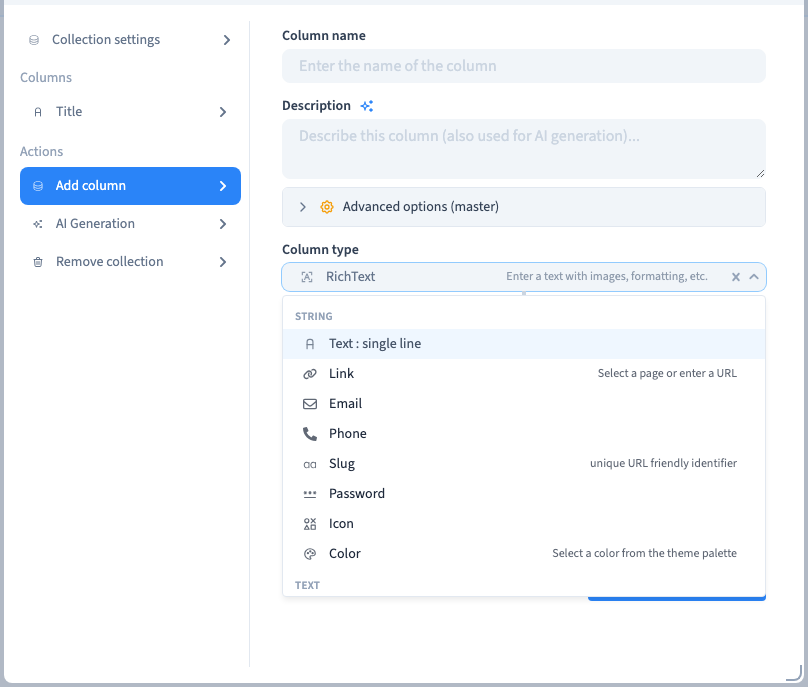
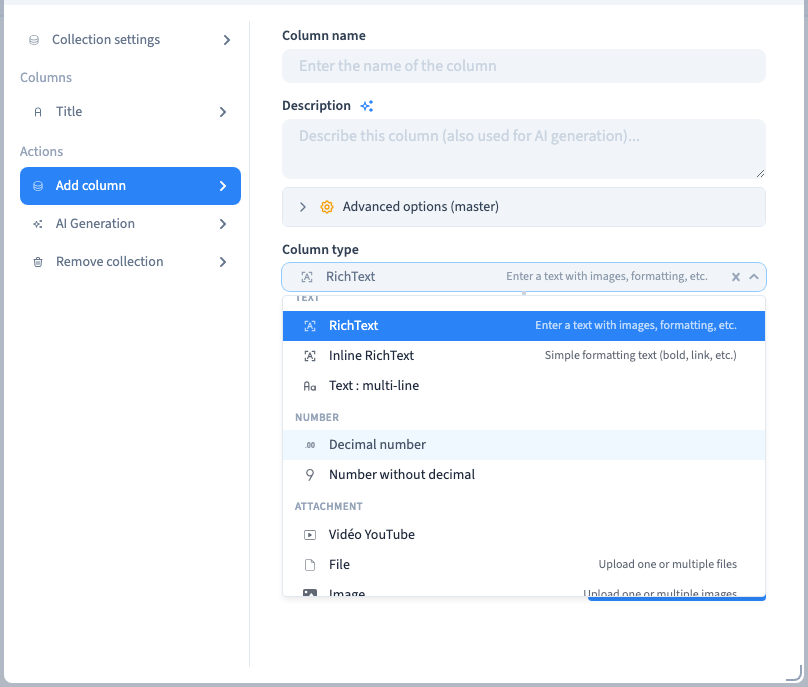
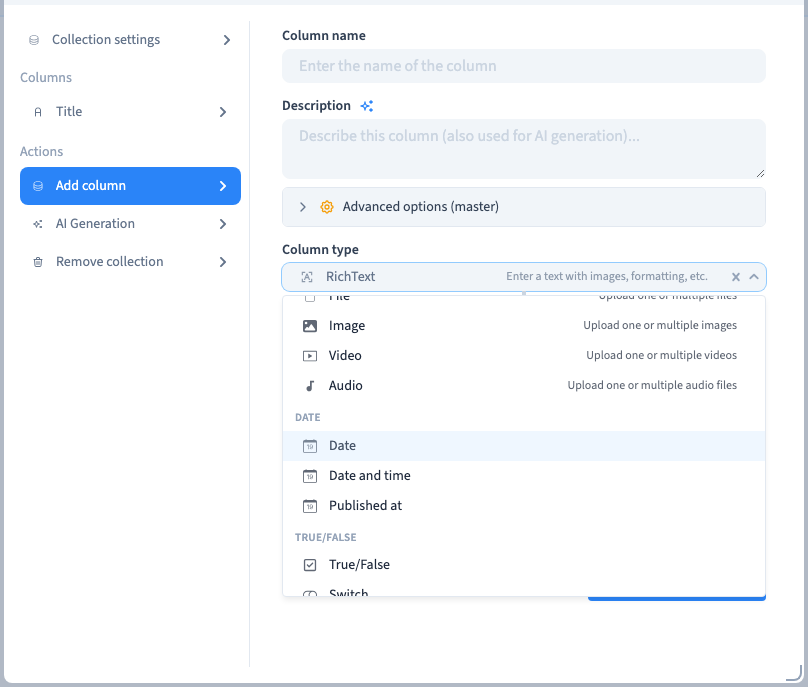
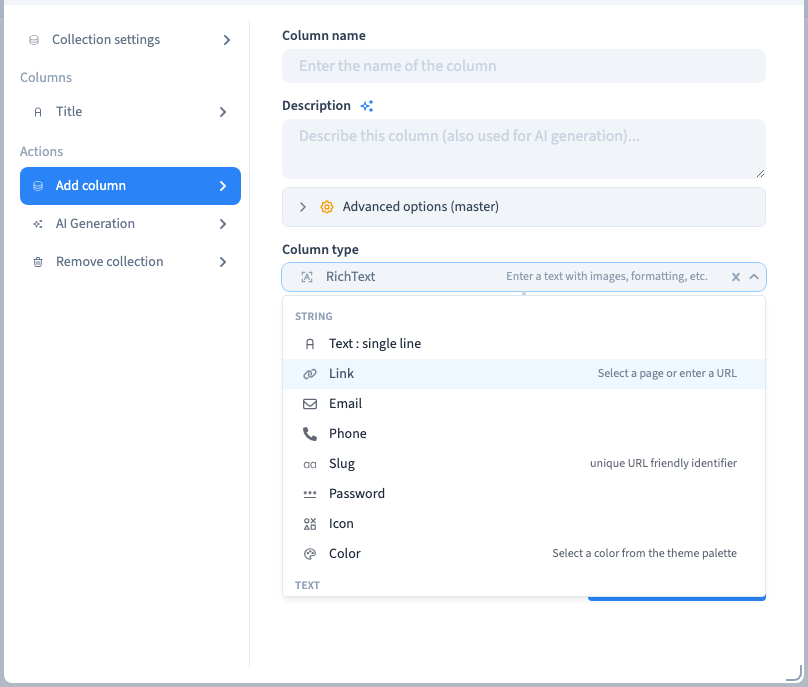
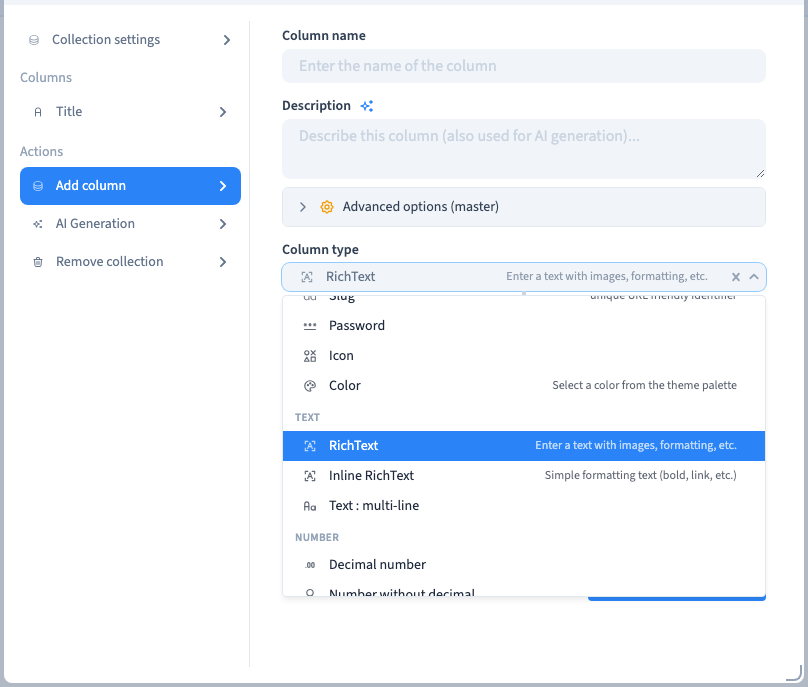
Open Data > Collection, select a collection and choose Edit columns & collection > Add column. Open the type selector. Browse the families before confirming a choice.
The recording inspects the selector without adding a field or changing existing records.
Could not play. Try the video controls.
2. Compare the main families
| Information | Suitable editor | Example |
|---|---|---|
| Short plain words | Text : single line | Entry title |
| Longer plain text | Text : multi-line | Summary |
| Formatted content | RichText | Journal article |
| Formatted text within a line | Inline RichText | Short introduction |
| Whole number | Number without decimal | Duration in minutes |
| Fractional number | Decimal number | Price |
| Yes or no | True/False or Switch | Available |
| Calendar day | Date | Event day |
| A moment with a time | Date and time | Appointment |
| Publication timestamp | Published at | Editorial schedule |
| One or several predefined answers | Select or Select multiple | Session category |
| Photograph | Image | Cover or gallery |
| General upload | File | Downloadable document |
| Video upload | Video | Session preview |
| Sound upload | Audio | Spoken introduction |
| Hosted YouTube video | YouTube video | External video reference |
| Destination | Link | Related page or website |
| Contact address | Studio inbox | |
| Telephone number | Phone | Contact number |
| URL identifier | Slug | Journal entry path |
| Secret input | Password | An input requiring concealed entry |
| Visual cue | Icon or Color | Category marker |
| Another record | Relation | Author or topic |
Check the actual editor and the consuming feature before using a specialised type. A field labelled Password is not, by itself, an authentication system. An uploaded video and a YouTube reference are distinct kinds of value.
3. Inspect the entry control
After choosing a type, review its options. An image field may allow several files; a relation needs a target collection; a choice needs options. A field name alone does not configure these behaviours.
Create a sample record and reopen it after saving. Check zero, an empty optional value and more than one selection where relevant.
4. Distinguish storage, form and page
The field type determines storage and entry. Form layout determines how editors see the fields. Page design determines how visitors see their values. An icon value does not place an icon on a page until you connect it to an appropriate element.