Connect a REST or GraphQL data source
An API lets your site request information from another service. In Communik, configure the connection in Data > REST API, describe the request and choose the part of the response your page needs.
Start with a small example. A successful response and a working page are two separate checks: first test the connection, then connect its results to your design.
1. Gather the service details
Ask the provider for its base URL, request path, HTTP method, example response and required credentials. An address alone does not explain how to read the data.
In Data, choose + beside REST API, name the connection and create it. If it already exists, select it in the menu.
Choose between a collection and an external source
2. Configure the connection
In General, enter the service's Base URL. Give the connection a recognisable name; its description can explain what it supplies.
Use the provider's public HTTPS address, reachable from the server that serves your site. Localhost and private network addresses are refused. The recordings use a temporary public HTTPS service with fictional Willow content; its address is an example, not a service to connect your own site to.
If the service requires authentication, configure it before testing. Keep credentials in the connection's credential fields. Do not put them in page text or shared screenshots.
Could not play. Try the video controls.

3. Describe the request
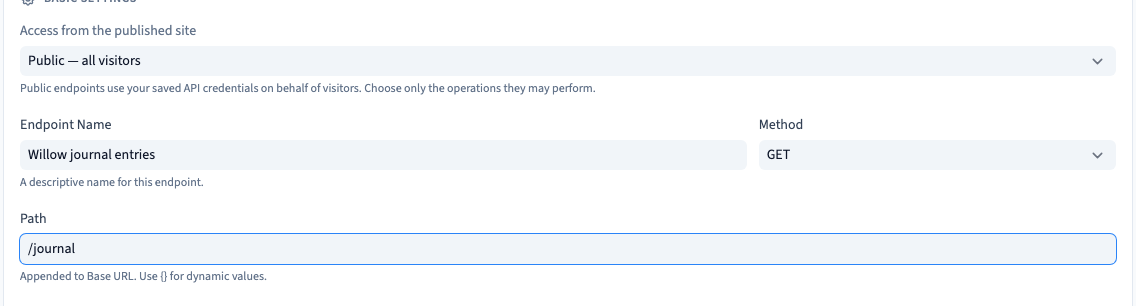
Open Endpoints and create an endpoint. An endpoint describes one request to the service.
- Enter a name that explains the returned content.
- Choose the method specified by the provider, such as GET to read a list.
- Enter the request path, such as /journal for the demonstration service.
Communik combines the base address and this path. Copy the method and path from the provider's documentation. Changing GET to POST does not by itself make the service accept writes.
4. Select the response data
Open the endpoint's Response tab. Choose a list when the service returns several items. The data path tells Communik where that list appears inside the response.
For a response whose list is under a key named data, enter data. Use the provider's actual response structure rather than copying this path without checking it.
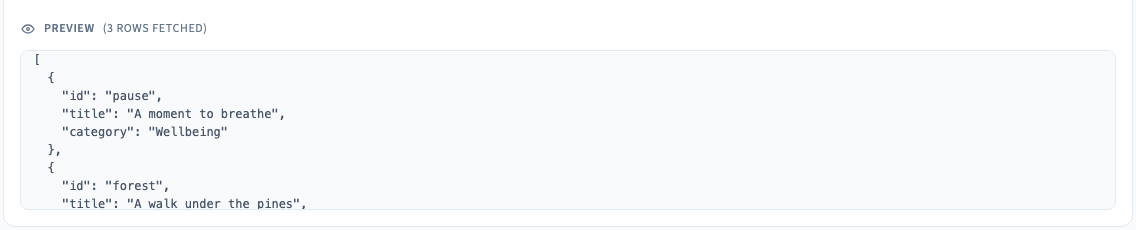
Save the connection using the builder's Save command, then run automatic detection. Inspect the returned rows and detected fields. The preview may show an extract rather than every result.
Field mapping connects the names returned by the API with the names used in your site. Keep the proposed names for the first test; adapt them once the request works.
5. Save, reopen and handle errors
Save after detection. Reopen the connection and check that the base URL, endpoint and data path are still present.
An empty result can be valid. Check both the request criteria and the response path: receiving a response does not prove that you selected the intended list.
When the request fails, inspect the displayed error, HTTP status and provider message. Correct the address, credentials or service configuration, then retry. Recreating a CMS collection does not fix an API authentication error.
6. Add authentication when required
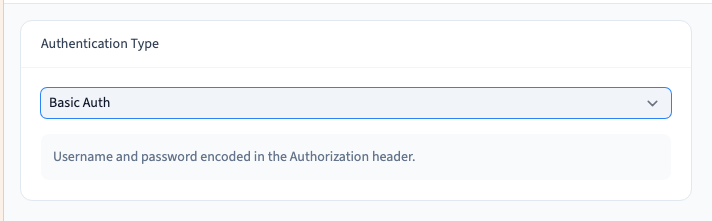
Use Authentication to choose the access method required by the service, then Credentials to provide the corresponding values. Saving credentials is separate from saving the connection settings. A credential input may clear after saving without erasing the stored secret.
| Method | What to provide |
|---|---|
| Bearer Token | The token in Credentials |
| Basic | The username and password in Credentials |
| API Key | The header or query parameter name, its location and any required prefix; the key in Credentials |
| Custom Headers | The required header names and values |
| OAuth 2.0 | An access token already obtained from the provider |
For an API key, distinguish a header from a URL query parameter. Use the exact name and prefix expected by the provider. After saving any credentials, test the request again: storing a key does not prove that the service accepts it.
Providing an OAuth access token does not establish that automatic authorisation, token exchange or refresh has been configured. Check those requirements separately with your provider.
Could not play. Try the video controls.



7. If your provider uses GraphQL
Skip this section if your provider uses REST. GraphQL is another way of requesting data. The provider must supply an endpoint and a query compatible with its schema. A query copied from another GraphQL service may be invalid.
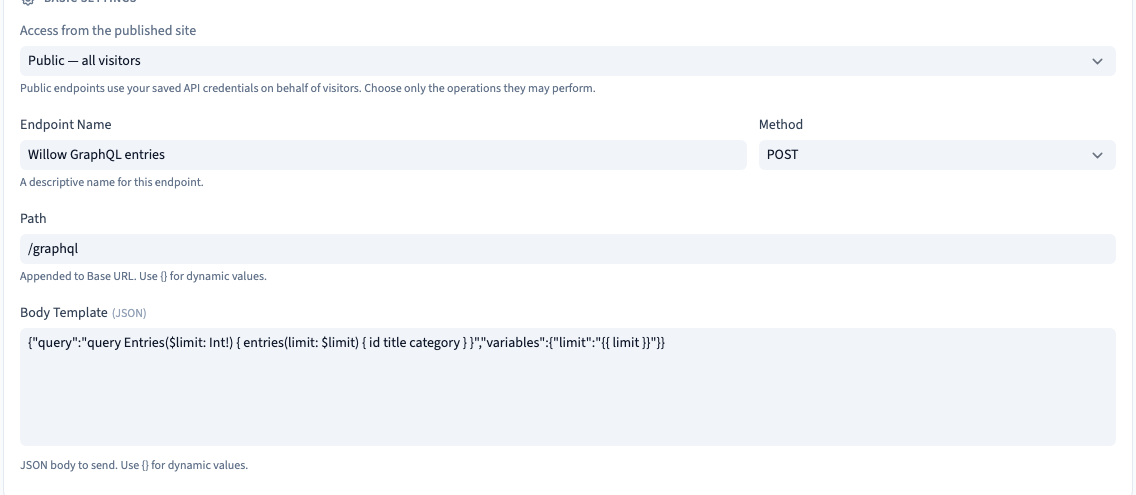
Create an endpoint, choose POST, enter the GraphQL path and paste the provider's request into the body template. In Response, choose the returned list's path, for example data.entries in the demonstration schema. Save, then test detection. The demonstration query retrieves two journal entries using fictional Bearer credentials.
Before following the parameter video, open Example GraphQL body for the demonstration schema below. Replace Body Template in Settings with that example. In Parameters, choose + Add Parameter, name it limit, choose Number and set Default to 2. Save and test again.
Request parameters let you declare a name, type and default value. When execution supplies no value, the default is used. An explicit value replaces it; a numeric zero must remain zero rather than falling back to the default.
Check the content of the selected settings tab before editing: the endpoint's method/path settings and its variable parameters serve different purposes.
In the endpoint settings, review Access from the published site. For the demonstration GraphQL read request, select Public — all visitors before displaying it on a visitor page. A request working inside the builder does not by itself grant visitors access. Choose only the service operations intended for your visitors; saved credentials are used server-side.
A valid query with no matching rows should display an empty state. A GraphQL error should display the service's error message. Inspect the query and variables before retrying.
For agencies: GraphQL scope and credentials
A GraphQL request normally uses POST with a body containing a query and, where needed, variables, according to the provider's contract. A successful REST GET does not validate GraphQL. Keep the token in Credentials rather than embedding it in the body. This article covers reading external data; remote writes, remote pagination, automatic OAuth renewal and two-way synchronisation require separate validation.
Example GraphQL body for the demonstration schema
In Parameters, add limit as a Number with a default of 2. This provider-specific body uses that value. Your own provider must supply its schema and query.
{
  "query": "query Entries($limit: Int!) { entries(limit: $limit) { id title category } }",
  "variables": {
    "limit": "{{ limit }}"
  }
}
The Bearer token stays in Credentials. The checks cover the default 2, an explicit 1 and an explicit 0, plus a visible GraphQL error.
Could not play. Try the video controls.

Could not play. Try the video controls.

8. Display the result on a page
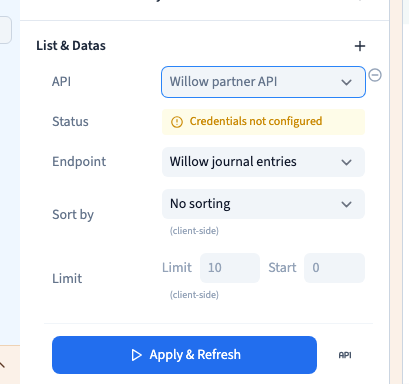
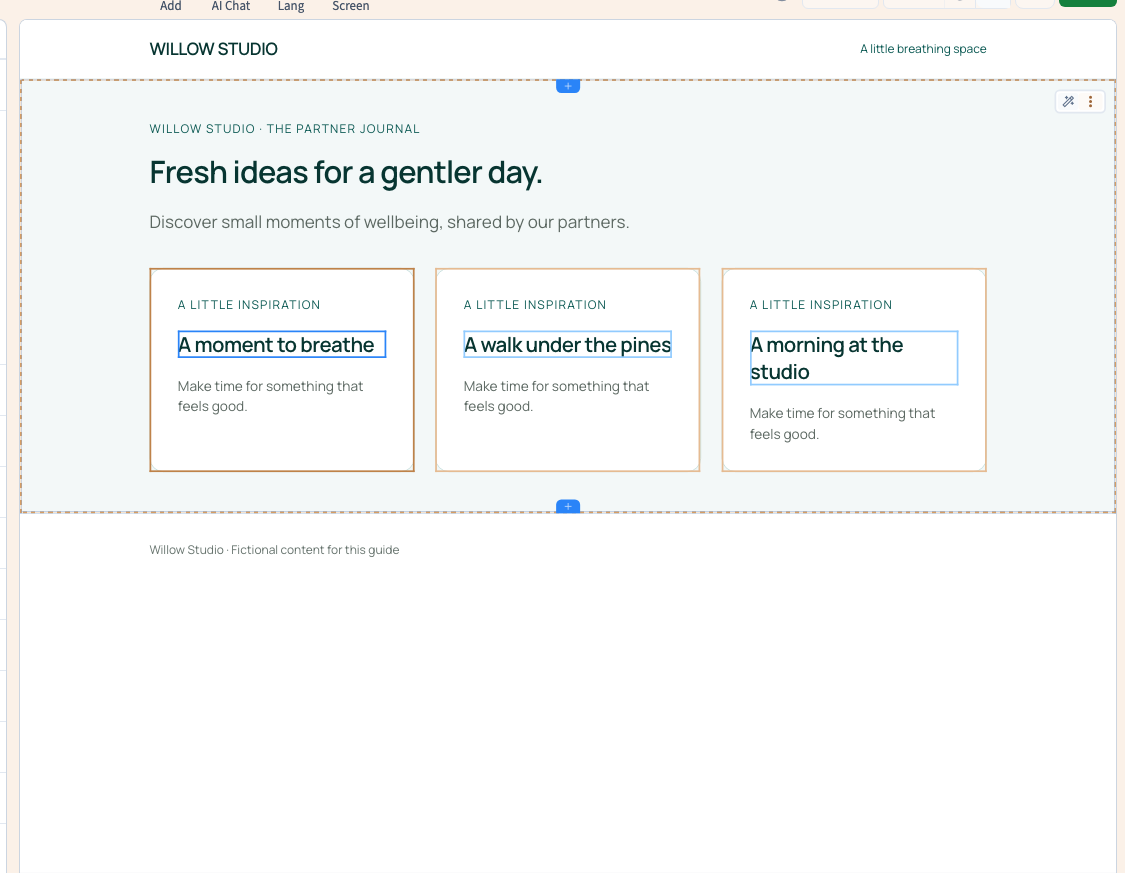
Open the page in Expert mode. In Layers, select the whole card that should repeat for each result. Selecting the complete card keeps its title and supporting text together. In Lists & Data, add an external API source, choose the connection and endpoint, then apply and refresh.
These are visual controls. Expert mode does not require CSS classes for this operation.
Select the title inside the first card. In its text content, type @ and choose the title field returned by the API. Save and reload the page to check that the field replaces the fixed text. A source returning a list repeats the connected element for its results.
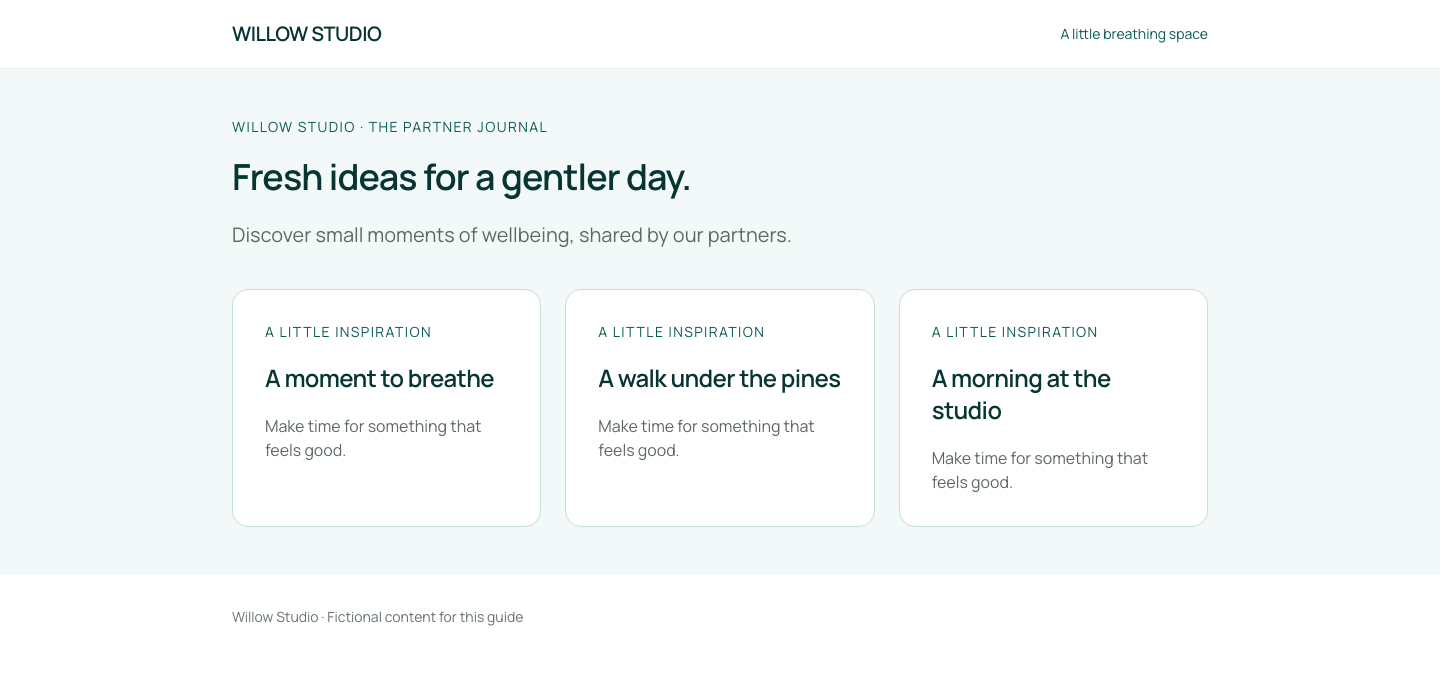
Publish to the test site and check the actual page on desktop and mobile. After changing a request, save, republish and check the result again. If content is missing, inspect the request response, data path and selected field, then confirm that you are viewing the version you published.
The demonstration checks three cards from the first endpoint, then a single different card after configuring another endpoint and republishing. Both results are checked on desktop and mobile without restarting the rendering server.
An external source supplies page data; it does not automatically create records in Communik's collections.
Display content stored in a Communik collection
Could not play. Try the video controls.