
Show an element according to its data
A record may include advice or a practical information box that other records do not need. A condition keeps that element in the template while controlling which records display it.
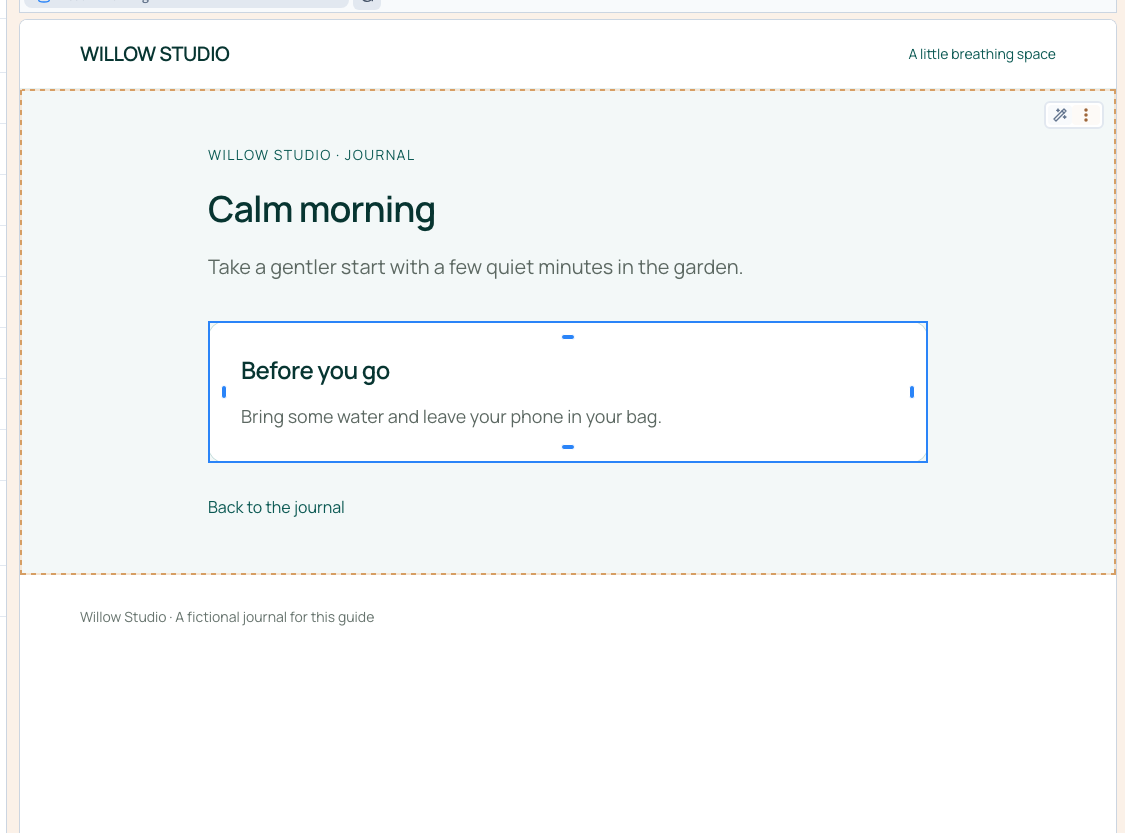
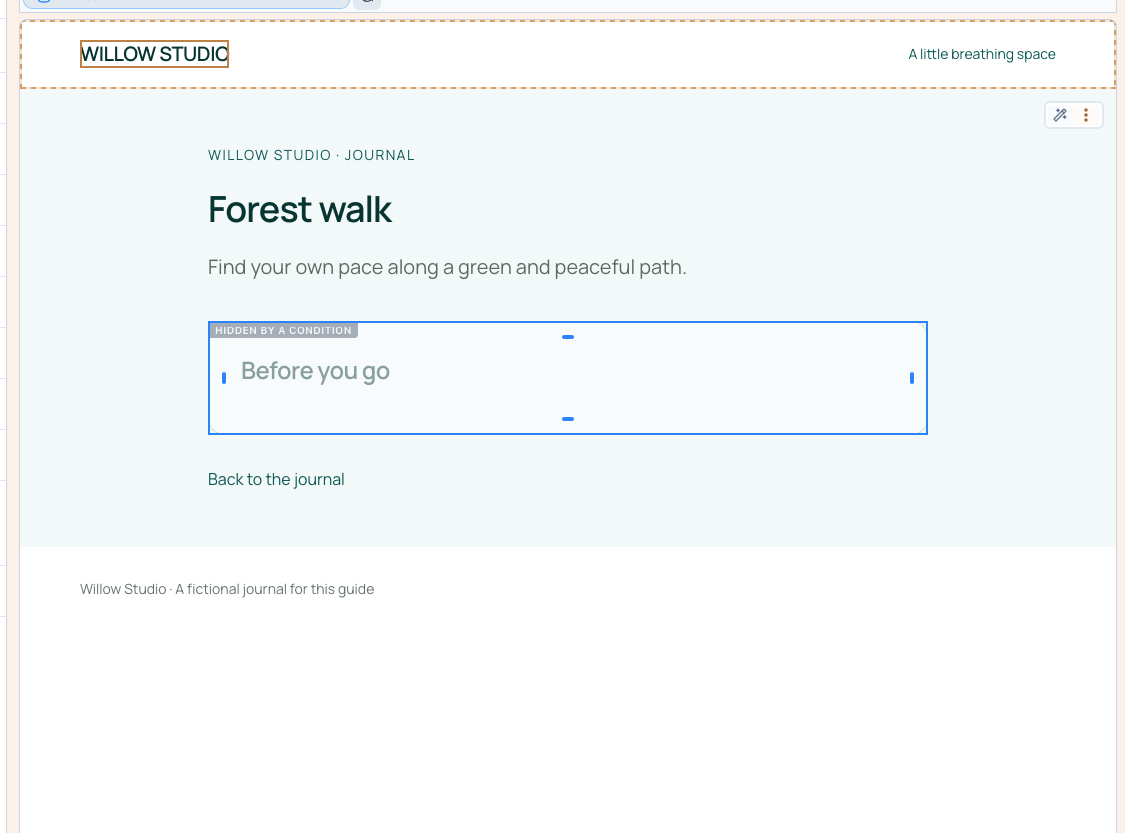
Calm morning contains advice; Forest walk has an empty Advice field. The demonstration connects visibility directly to that field through the data selector.
1. Prepare both cases
Use one record with advice and another without it. The page must already use a record from that collection. Connect the dynamic detail page first if necessary.
2. Add a condition to the complete box
Switch to Designer expert, open Layers and select the container holding both the advice heading and its text. Conditioning the whole box prevents an orphan heading or empty background.
Add a Visibility setting and choose Condition. Open it, type @ to open the data selector and choose Advice under page data.
A filled field leaves the box visible. An empty field hides it. Selecting the field is enough for this example; no comparison expression needs typing.
Could not play. Try the video controls.

3. Compare the records in the builder
Select Calm morning and check that the advice box is active. Switch to Forest walk: the builder keeps the box available with a greyed preview so that you can still select and edit it.
This editing marker does not mean that visitors will see the box. Return to the first record, save and reload to confirm the condition persists.
4. Check the published pages
Open both test-site addresses. Calm morning displays Before you go and its advice. Forest walk should have neither the advice text nor its heading. Check at phone width that surrounding content stays readable and there is no unnecessary gap.
If the result is unexpected, check the selected field, record and saved configuration. The field's name describes its role; each record's value determines its result.
Use a Yes / No field for explicit control
A field such as Show advice lets you keep the text while deciding separately whether to display it. Choose that boolean field in the condition: yes shows the box and no hides it. Check both answers with your actual content.
Understand the scope
A display condition does not protect private data or replace access permissions.
For agencies: empty values and expressionsA direct data condition hides the element for false, empty or whitespace-only text, a missing value or an empty list. Zero is not treated as an empty field.
Expressions can compare and combine criteria. This guide demonstrates choosing a field through the interface; technical combinations need their own checks against the possible outcomes.