
Connect a dynamic detail page
A dynamic page uses one design for several records. With /journal/[slug], /journal/calm-morning opens one entry and /journal/forest-walk opens another.
1. Prepare the collection and template
Prepare a collection containing Title, Slug and the content to display. A slug is the short address segment identifying a record. Use simple, distinct values; duplicate slugs cannot clearly identify different entries.
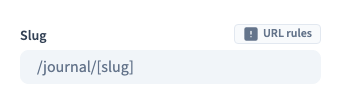
Create a page template and set its address to /journal/[slug]. The brackets identify the variable part. You create one template, not a separate page copy per record.
The template text must read the record fields. Fixed text remains identical at every address; connecting the page does not automatically bind all its text. The demonstration starts with a prepared design and existing content bindings, then connects the page itself.
2. Choose the page collection
Open the template's page settings. Under Connect Datas, select Willow journal.
This gives the page a single-record context. A repeated list presents several records together; the detail page presents the one matching the visitor's address.
Module-managed pages use their module's own data. Do not replace those connections with a collection from these settings.
Could not play. Try the video controls.
3. Map the address variable
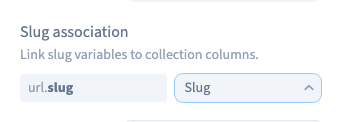
Under Slug association, map the variable slug to the collection's Slug field. This tells the page where to find the value supplied in the address.
A title usually makes a less stable identifier: it may contain spaces or change. Check both the variable and the selected field before saving. Map every variable segment if your address contains more than one.
An incorrect mapping can leave an address without a matching record even though the collection contains data.
4. Choose a record for editing
Under Preview row, choose an entry. Its title and introduction should appear through the prepared content bindings. This choice helps you edit the template; it does not force all visitors to see that record.
Compare records with different content, including empty optional fields and long titles. Conditional elements remain editable in the builder, but their public visibility must follow the record data. Save and reload to check the collection, slug mapping and preview choice.
5. Test the actual addresses
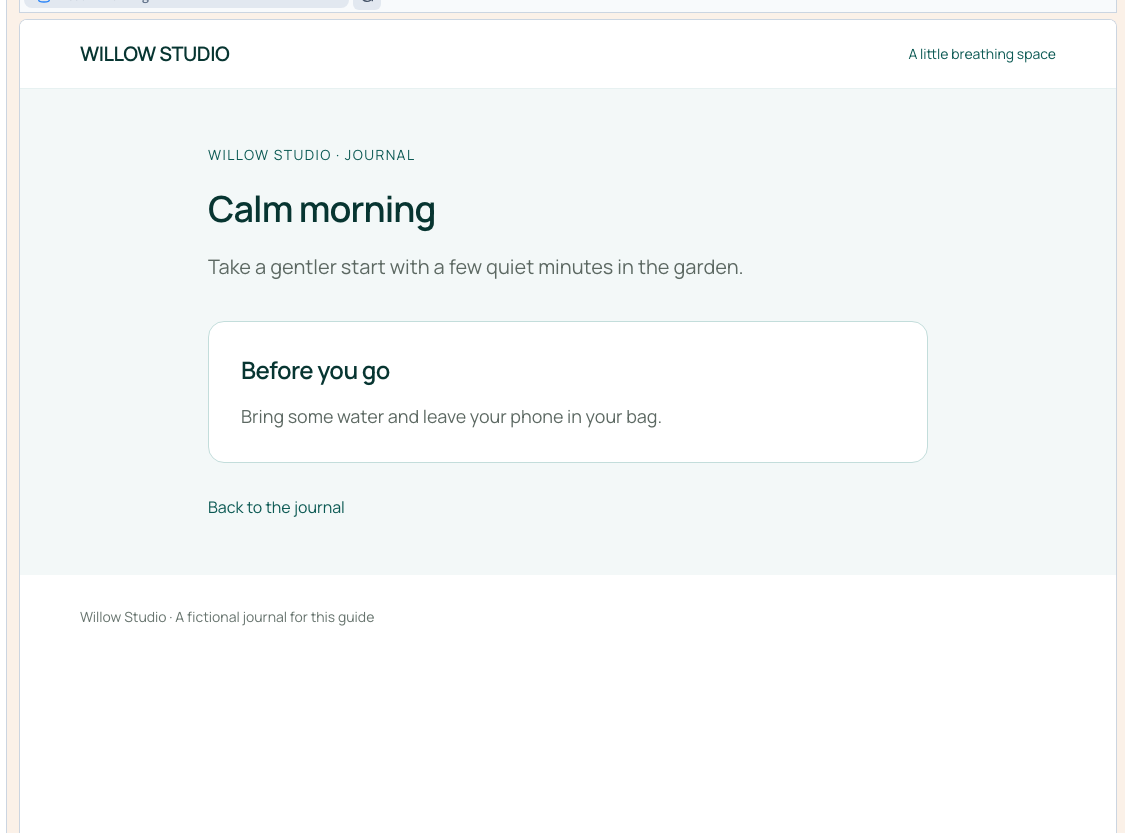
Publish to the test site. Open both complete addresses directly and check the matching title, introduction and optional elements at phone width as well as desktop width.
Also try an unknown slug. It must not display another record as a fallback. The template address containing [slug] is not a complete visitor address.
A template design change requires publication. Saved CMS content is read by connected pages; check the actual result before announcing an update. If you change an already-used slug, plan what happens to old links.
Configure sharing and search metadata, then inspect each real address. A dynamic page alone does not guarantee an appropriate title and description for every record.