Filter, sort and limit a displayed list
List settings determine which records your visitors see. They do not delete records from your collection.
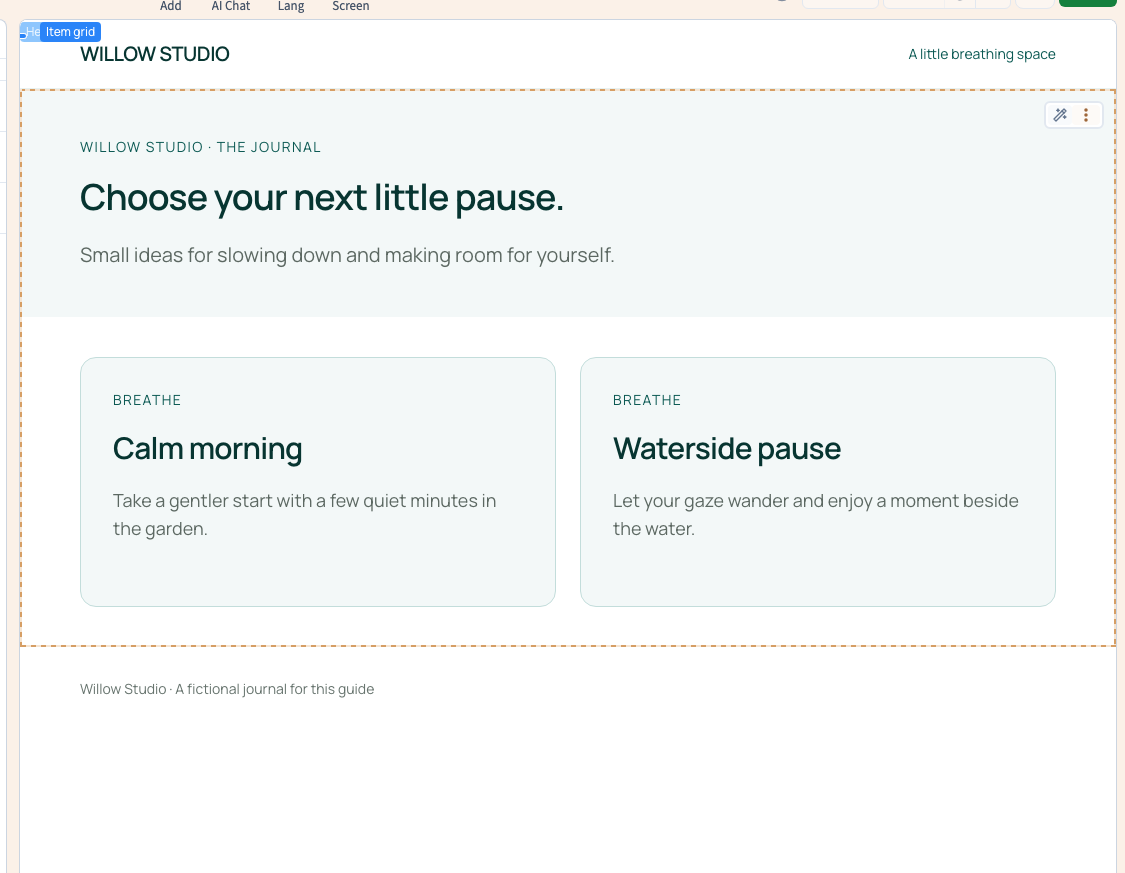
The Willow journal contains three entries. The example compares title order, limits the display, changes its starting point and keeps only the Breathe category.
1. Select the repeating element
Open the connected page, switch to Designer expert and open Layers. Expand the section and its containers until you reach the element representing one repeated card. Select it and open List & Data.
You should find the list's existing collection. If the panel only offers a new collection selection, you may have selected a title or neighbouring container. Find the repeating element before creating another connection.
These settings use visual selectors and form fields; the demonstrated changes require no code.
2. Choose a stable order
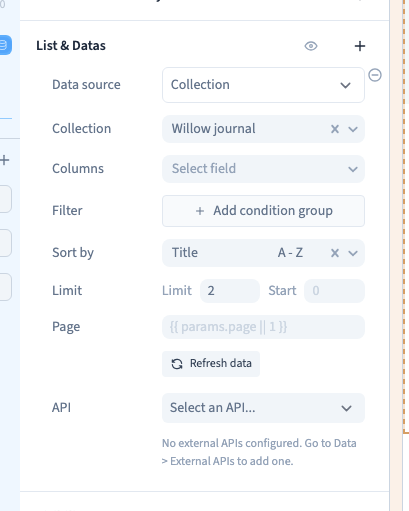
Under Sort by, choose a field and direction. Title A - Z puts Calm morning, Forest walk and Waterside pause in alphabetical order. Z - A reverses that order.
Manual order uses the arrangement in the collection table. No sorting does not promise an editorial order: choose explicitly when sequence matters.
Sorting applies to the filtered records before the display limit. A title sort with a limit of two therefore shows the first two titles in that order.
Could not play. Try the video controls.
3. Set the limit and offset
Limit is the maximum number of displayed records. A shorter collection simply produces fewer cards. The example reduces three cards to two.
Start (the offset) skips records at the beginning of the selection. With an offset of 1, Calm morning is skipped and the next two titles appear. Return it to 0 to start at the first record.
An offset alone does not create visitor pagination controls. Use stable sorting when distributing a list across pages.
4. Add a fixed filter
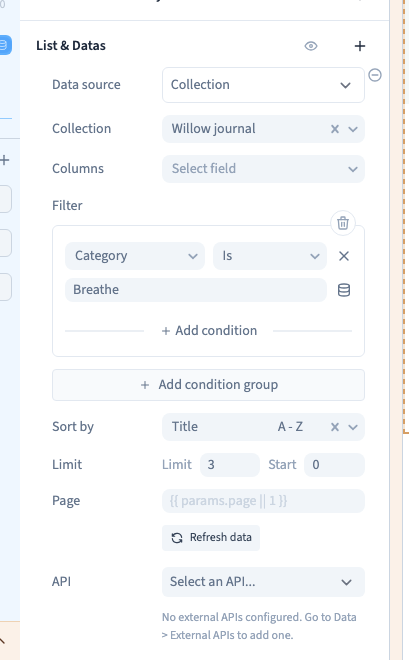
Under Filter, choose Add condition group. Select Category, an equality operator and Breathe. Refresh the preview data if needed.
Calm morning and Waterside pause remain; Forest walk is excluded from this list and remains in the collection. AND requires every condition; OR accepts a record satisfying at least one. Start with one condition and inspect the results before combining more.
A fixed filter is an editorial setting. It does not create a visitor search box or category selector; those need their own page controls.
5. Save and inspect the published page
Save, reload the builder and check the filter, sort, limit and resulting titles. Publish to the test site and compare the actual page at desktop and phone widths.
Plan for no matching records: use clear surrounding text, an appropriate empty state where supported, or an obvious route back.
If content seems missing, check the filter first, then the offset and limit. When selecting specific columns, retain every field used by card text, images, links and conditions. Restrict columns only once you understand the effect.
Add visitor pagination · Understand filter operators