
Switch the site’s content language in the builder
1. Find the two language selectors
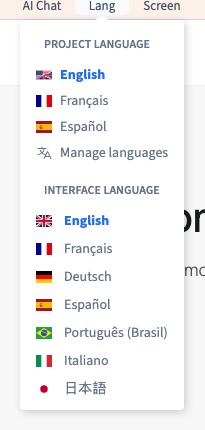
Open Lang in the builder toolbar. Project language chooses the version of the site you are editing. Interface language changes the builder’s menus and settings. You can edit a French version with English tools.
2. Preview the translated content
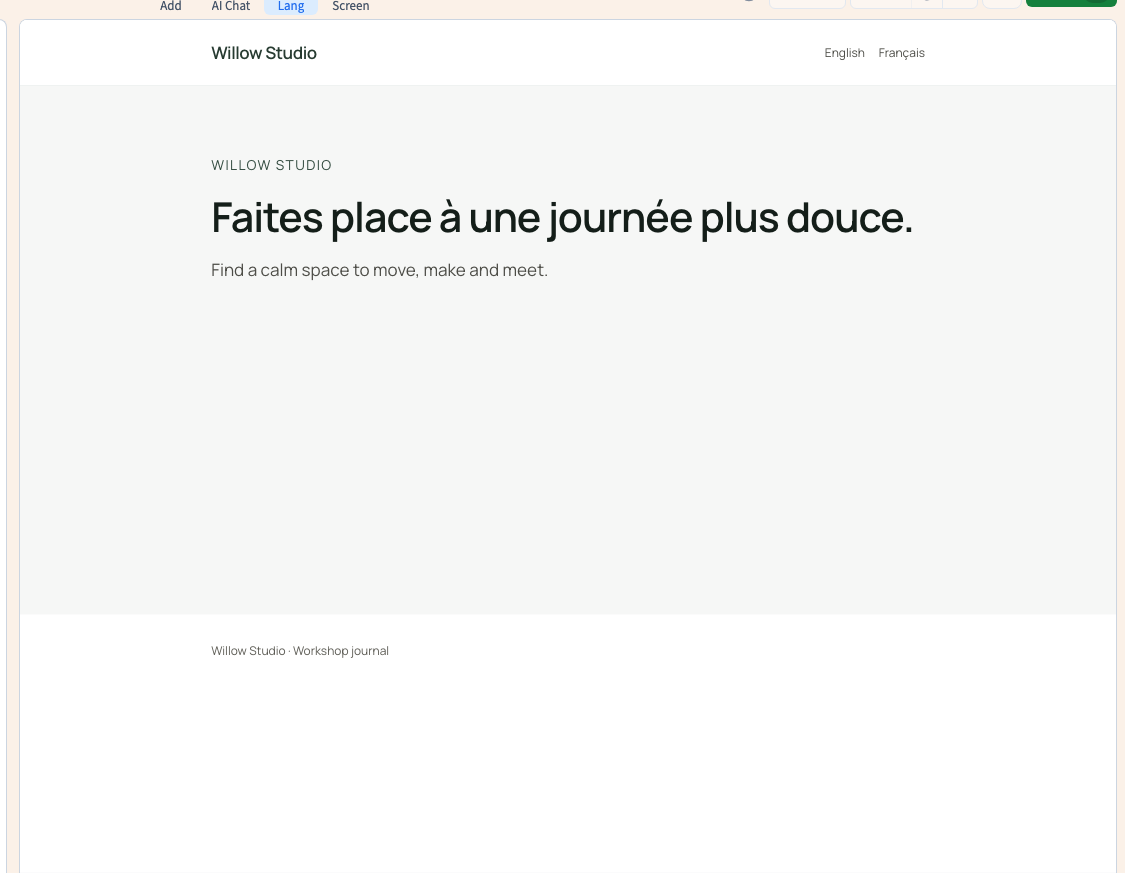
Under Project language, choose a language already configured for the site. The canvas uses that version. In the Willow Studio example, choose French to see the French headline, then choose English to return. Check the heading on the canvas and the active language before editing.
Could not play. Try the video controls.
3. Choose a language for the tools
Under Interface language, choose the language you read most easily. This preference affects the editing tools. It leaves the project’s language list and the public version of the site as they are.
4. Check which version is active
Read the language shown in Lang. If a text in the canvas still looks like the default version, it may be missing its translation. Open the translation list to see whether that value exists. Use the private preview after publishing your changes to check what a visitor will see.
See also Translate pages and site content by hand.