
Add a language to your site
1. Keep track of the default language
The default language supplies the original content and uses your main address without a language prefix. Secondary languages have their own prefixes, such as /fr. Before changing the default language of a published site, review the affected links and addresses.
2. Open the language settings
In the builder, go to Site > Languages & Translations > Settings, or open Lang > Manage languages. Check the Default language card.
3. Add a secondary language
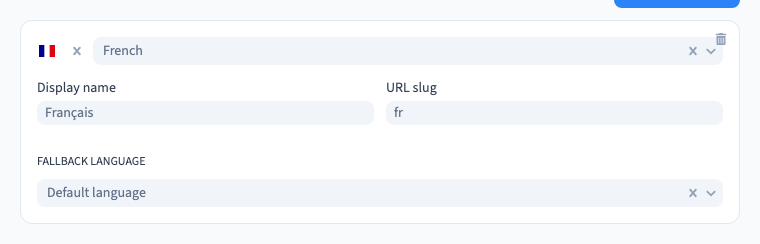
Under Additional languages, choose Add language and select the language. The example adds French to the English Willow Studio site. Check the language and region, the Display name, and the URL slug. Pick a short, distinct prefix. Save before opening the translations list.
Could not play. Try the video controls.
4. Prepare the version before sharing it
Check that the new language appears under Project language. Translate the main pages, menus and calls to action before sharing the new address. Use the Visitor language preference if you want to suggest a version or redirect based on the visitor’s language. Test that choice after publishing.
See also Translate pages and site content by hand.