
Review missing translations and remove a language
1. Decide whether to complete or retire the version
Open Translations, select the language and choose Untranslated. Review page, navigation, collection and module content. Complete essential messages first if you plan to keep the version. Use the fallback to preview what visitors see while values are missing.
Could not play. Try the video controls.

See also Choose a fallback for missing translations.
2. Prepare replacement links
Save any translations you still need. Review menus, shared links and fallback languages that point to the version. Plan redirects for retired addresses that should still lead somewhere.
3. Remove the secondary language
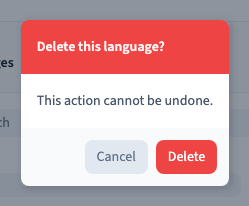
Go to Settings under Languages & Translations. On the secondary language card, click the trash icon, read the confirmation and choose Delete. Save. The English Willow demo removes Spanish and retains French. The default language has its own settings card.
Could not play. Try the video controls.
4. Verify the removal after publishing
Reopen the settings to check that the language remains absent. Publish privately, open the retained versions and try the old address. In the demo, the old Spanish address returns a 404 while the English and French pages still open. Test your redirects separately where you have configured them.