
Create and find a project backup
1. Open Backups
Save your current work. Open Publish > More actions > Backups. Find existing points by name and date before creating a new one.
2. Set the scope and name
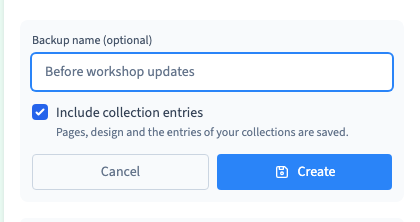
Click Create backup. Use a name that you will recognise later, such as Before workshop updates. Check Include collection entries if the point should contain both the design and your CMS records. Clear it to save the design and preserve current records if you later restore this point.
Could not play. Try the video controls.
3. Find the backup after creation
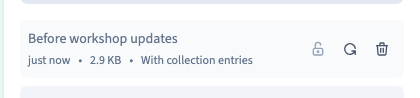
Click Create and wait for the row to appear. Check its name, date and the label With collection entries or Without collection entries. A backup made through the MCP can also have either scope.
4. Use it as a recovery point
A backup stores editable project work. Creating one does not change what visitors see. After a restore, check the recovered work before generating a new site version.
See also Restore builder work from a backup.