
Publish your site to its public address
1. Finish the private review
Save your changes and publish a test version. Open it in a separate tab and check your important pages and actions. Confirm who should have access to the staging link.
See also Publish and open a staging preview.
2. Check where production will go
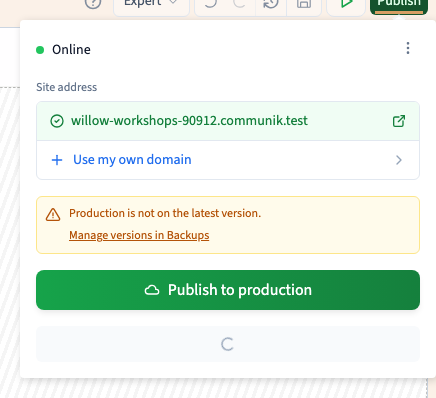
Open the main Publish panel and review the site address. Choose an available Communik address or set up your own domain. If the panel reports a plan or activation requirement, deal with it before sharing the address.
3. Publish to production
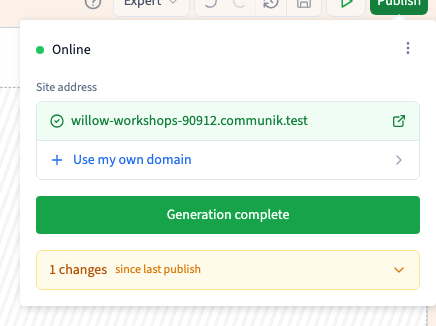
Click Publish to production and wait for Generation complete. Open the public address without a staging token. Check the page you changed on a desktop and a narrow screen.
Could not play. Try the video controls.
4. Publish saved changes again when ready
For later changes, save them in the builder, test them and publish to production again. Reopen the public address to confirm the update. Save and staging update the work and the private version separately from production.
See also Understand saved work, test versions and production.