
Compare and switch published site versions
1. Read the two active versions
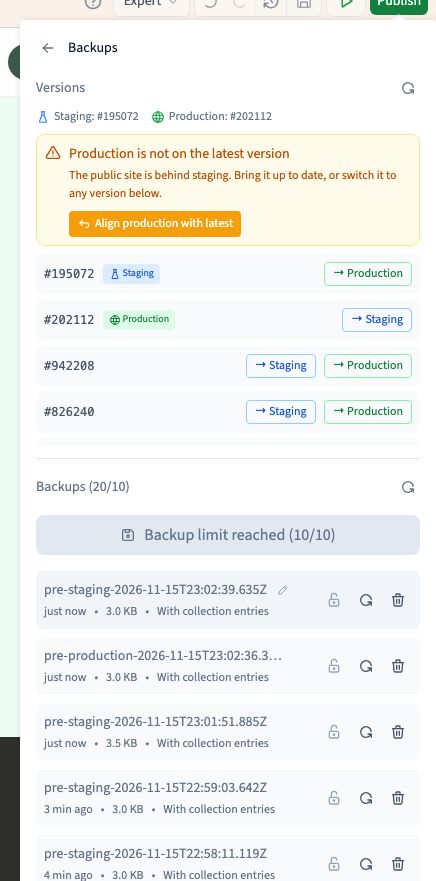
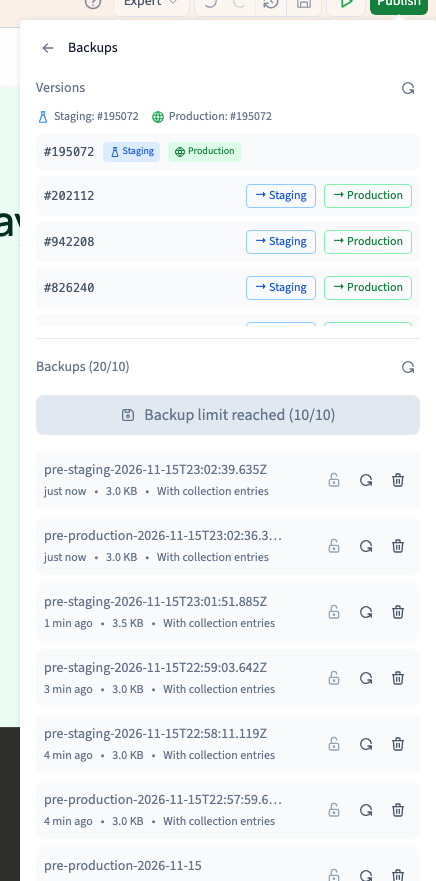
Open Publish > More actions > Backups and find Versions. Compare the versions marked Staging and Production. Staging is the private test site. Production is the public site. The labels tell you which generated copy each address serves.
2. Test another version privately
Choose an available version in the list and click → Staging. Wait for the staging label to move. Open the test address and check that it serves the version you chose. Switch back once you finish comparing.
3. Confirm a production switch when ready
Find the version you have tested. Click → Production, check the row again and choose Confirm. Verify the public address in a fresh tab. This changes the version people can visit without opening a backup or regenerating the site. This demonstration uses a configured domain. If your site only has a Communik address and a version switch is refused, use the main publishing panel to publish the work you have reviewed.
Could not play. Try the video controls.

4. Recover editable work separately
If you need to recover pages or styles in the builder, identify a backup instead. After any production switch, check that forms, links and language versions still work as expected.
See also Restore builder work from a backup.