
Create and check an address redirect
Send visitors from an old path to the right page after an address changes.
Published on 11/15/20261. Choose the old and new paths
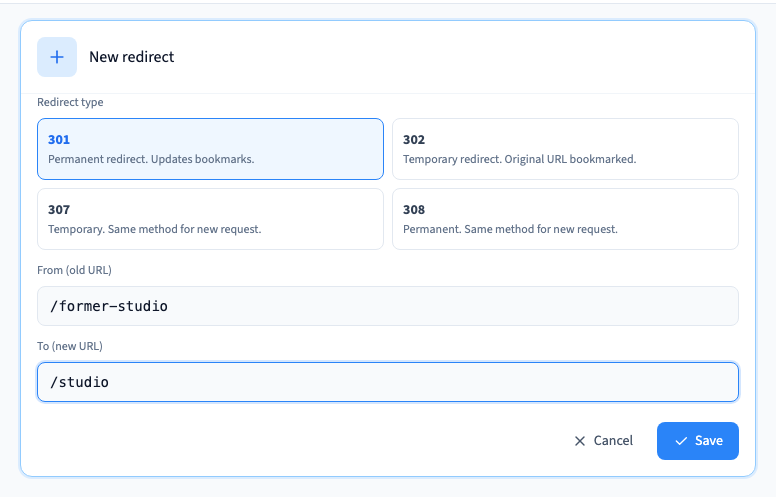
Open Site > Redirections under the advanced settings. Choose an old path that people already use and pick the closest replacement. Start simple, for example redirect /former-studio to /studio.
2. Add and save the rule
Enter the old path in From (old URL) and the destination in To (new URL). Choose 301 for a permanent move. Use a temporary status when you intend to bring the original address back. Save the rule, then save and publish the site.
Could not play. Try the video controls.
3. Check where an old link leads
Open the old address in a fresh browser tab and verify the destination. For a technical check, inspect the redirect status and Location header. Test old links people use most and avoid chains or loops. Use a pattern only for addresses with a repeatable structure.