
Redirect a group of addresses using a pattern
1. Name the variable part of the old path
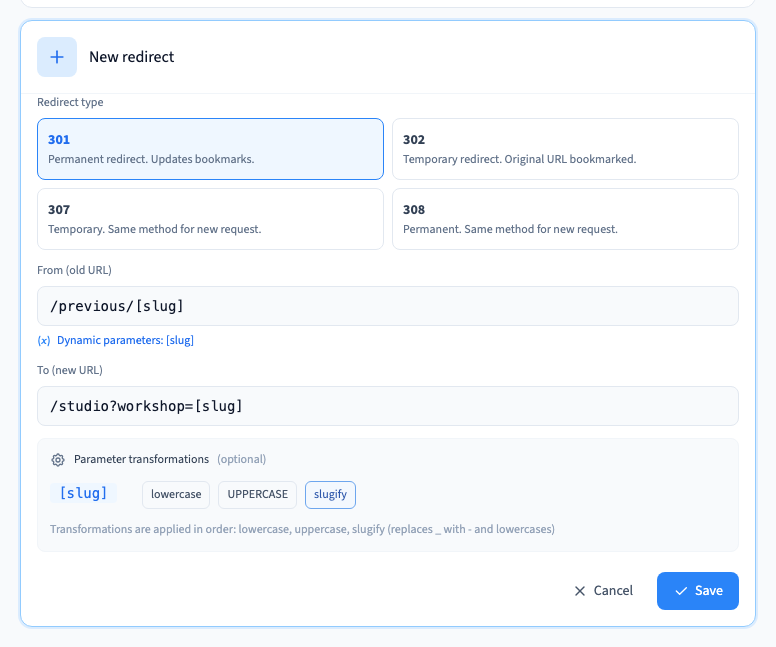
Open Site > Redirections and add a rule. Put a parameter inside brackets in the old path, such as /previous/[slug]. The named segment captures the part that varies from link to link.
2. Reuse the parameter at the destination
Put the same name inside brackets in the destination, such as /studio?workshop=[slug]. Use only parameters present in the old path. If you use a transformation such as slugify, check the exact value that reaches the destination.
Could not play. Try the video controls.
3. Test each kind of old link
Save and publish, then try several old URLs with representative values. Check the redirect status, the final path and any query parameters. On a private test site, first open the full preview link to start an authorised session. Then test the old address in the same session using its path and the parameters you want to check. Include a URL that should stay outside the rule.
See also Create and check an address redirect.