
Choose filter operators and combine conditions
A filter asks a question about each record. Does its title contain “Studio”? Is its price at least 30? Is its Published answer false? Records that satisfy the selected conditions remain in the table.
1. Choose a field, operator and value
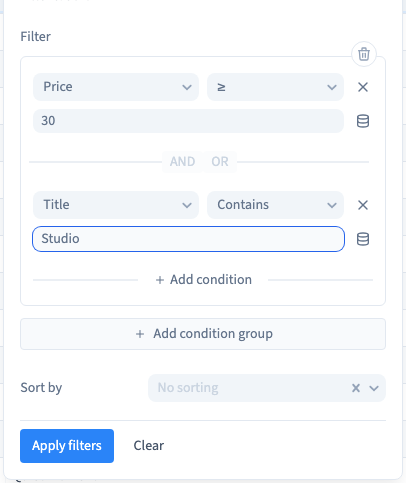
Open Filter > Add condition group. Choose the field, a suitable operator and the comparison value, then Apply filters.
Operators depend on the field type. Contains finds part of a title. ≥ includes a numeric threshold and values above it. Is compares a boolean answer. Presence operators test whether a value exists without requiring a text comparison.
Zero is a value and false is an explicit answer; neither should be confused with absence. Media and relation fields hold references. Filtering them does not automatically search every detail of their files or linked records.
2. Combine conditions with AND or OR
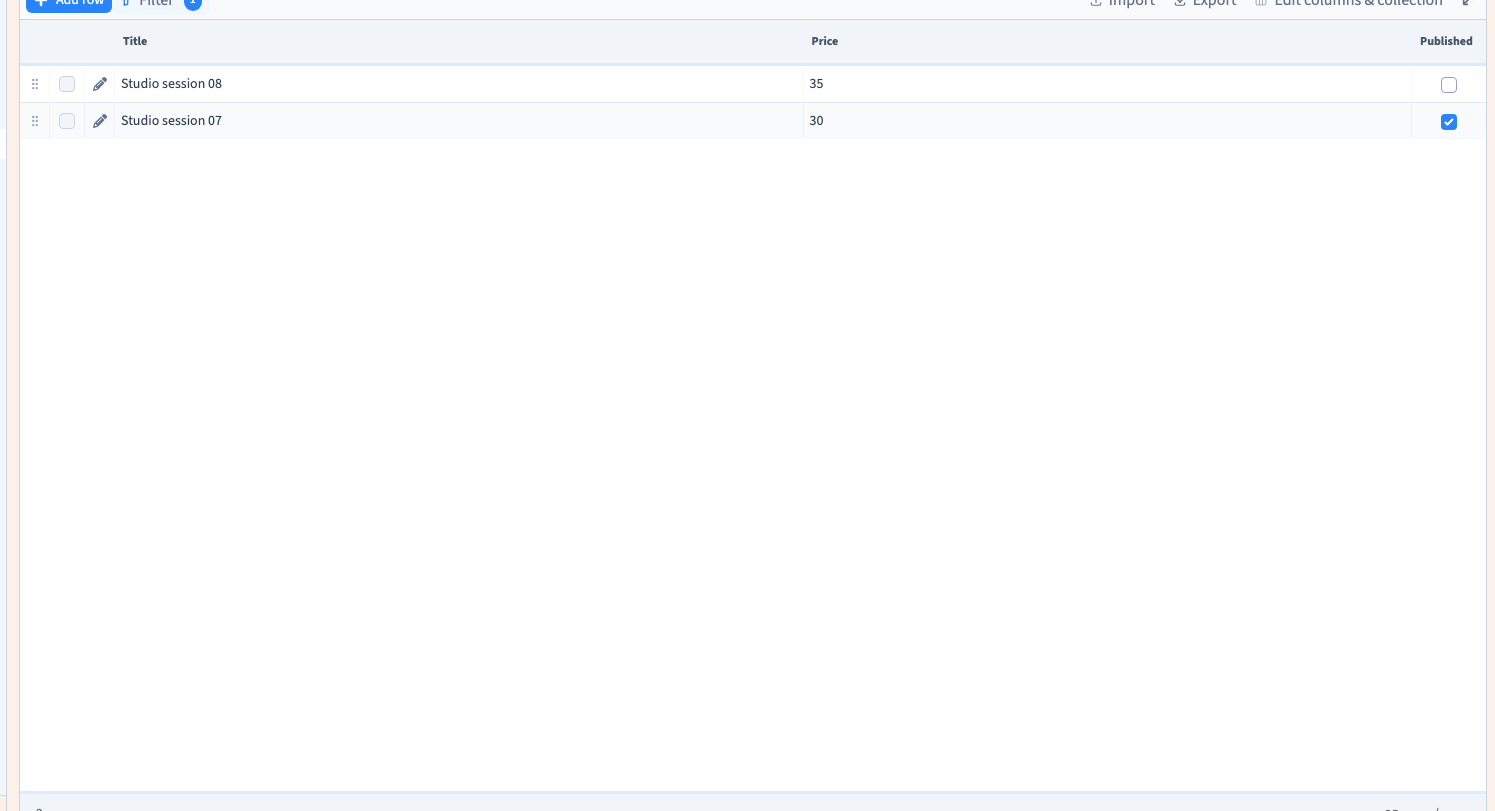
AND requires every condition to match. In the example, Price ≥ 30 AND Title Contains Studio leaves Studio session 07 and Studio session 08.
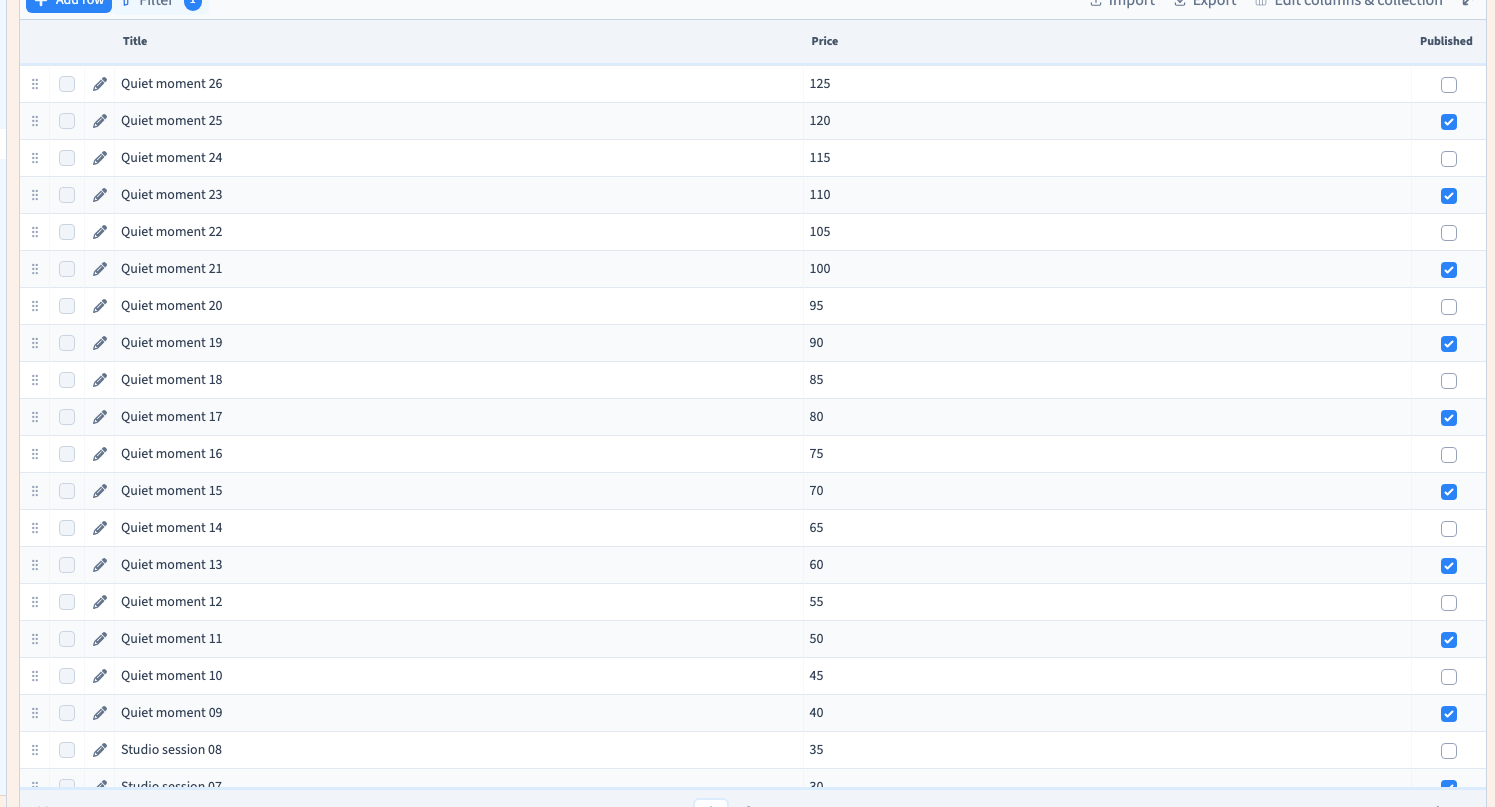
OR requires at least one matching condition. With the same example, OR returns all 26 records: the eight studio titles or the records whose price reaches the threshold.
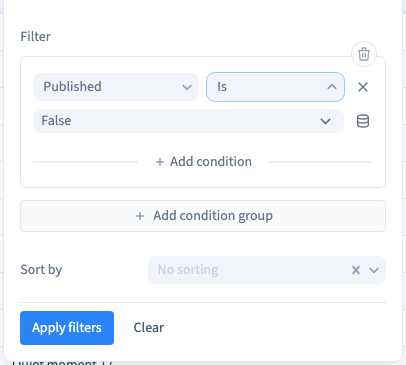
The demonstration also selects Published Is False and checks the 13 negative answers. Begin with a simple group, add one condition at a time and inspect records that should be included and excluded. In nested groups, the relationship between groups matters as much as the relationship between individual conditions.
Could not play. Try the video controls.
3. Distinguish search, filters and sorting
Text search combines with the conditions. A search word left in the toolbar can therefore hide a record that matches the filter. Sorting changes the result order; it does not change the matching criteria.
The table page-size control changes how many rows appear at once, rather than changing the collection's content. A filtered export uses the matching result beyond the currently visible table page.
4. Return to the complete table
Open Filter > Clear and clear any separate search text. Check the row count to confirm that the complete collection is available again.
These controls organise your view of the CMS data. A public list has its own query; filtering the editor's table does not replace the query of the website's list element.
Search, filter and sort step by step · Export the matching content