Resolve validation errors and import selected valid rows
Validation helps prevent badly matched or unusable data from entering a collection. Correct the file or make a conscious decision to import only the valid records.
1. Read the validation result
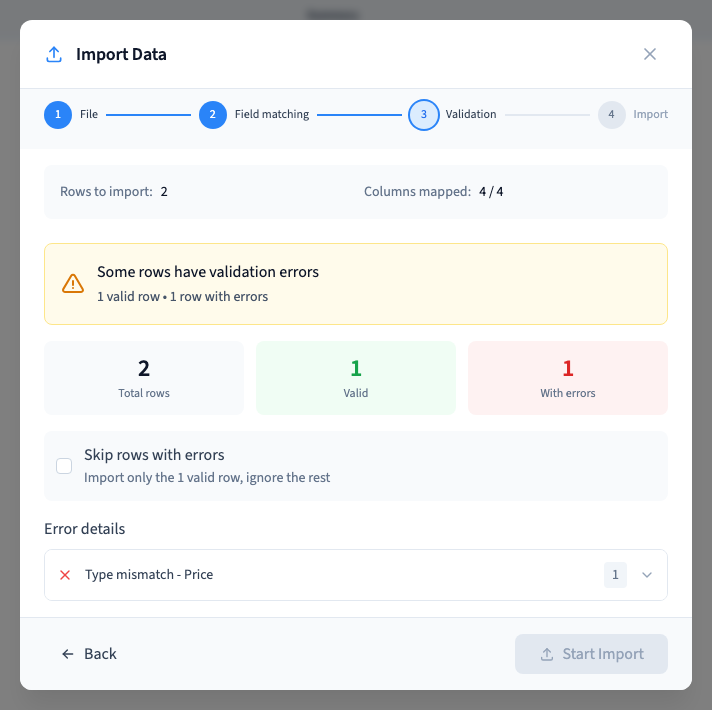
After the file preview and field matching, choose Continue. The result shows the total rows, valid rows and rows with errors.
The example has “not-a-number” in one Price value and 15 in the other. Validation reports one valid row and one incorrect row. Neither has been added yet.
2. Find the cause
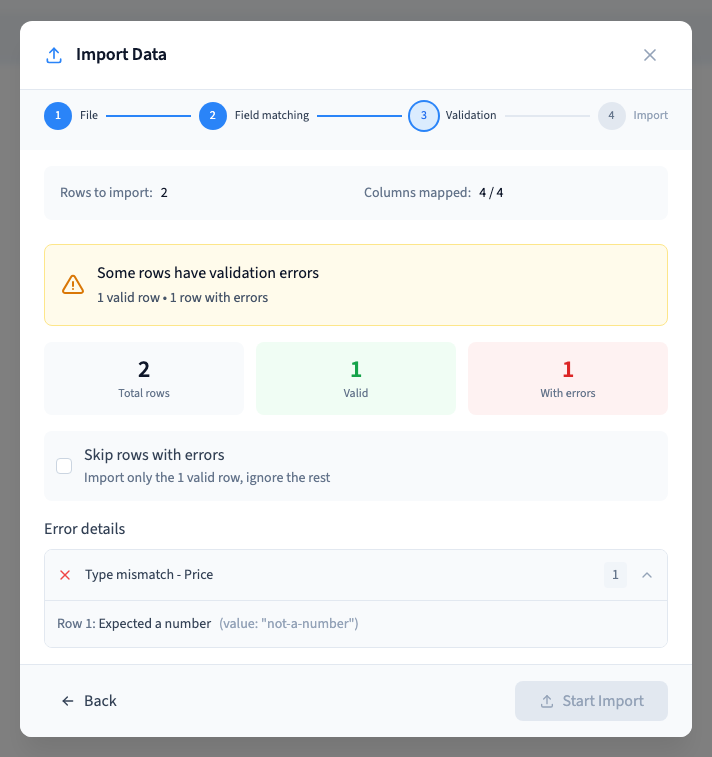
Expand an error group to see affected row numbers, messages and available values. A large file may have more errors than the displayed sample; keep the original file to investigate all of them.
A Type mismatch means that the value does not fit its destination. First check the match: a title sent to Price is a mapping error. If the destination is correct, repair the source value.
A missing required field needs a valid value. Relations and media require the expected references; a display name alone does not recreate them. Test these values on a small sample.
Could not play. Try the video controls.
3. Choose correction or an explicit partial import
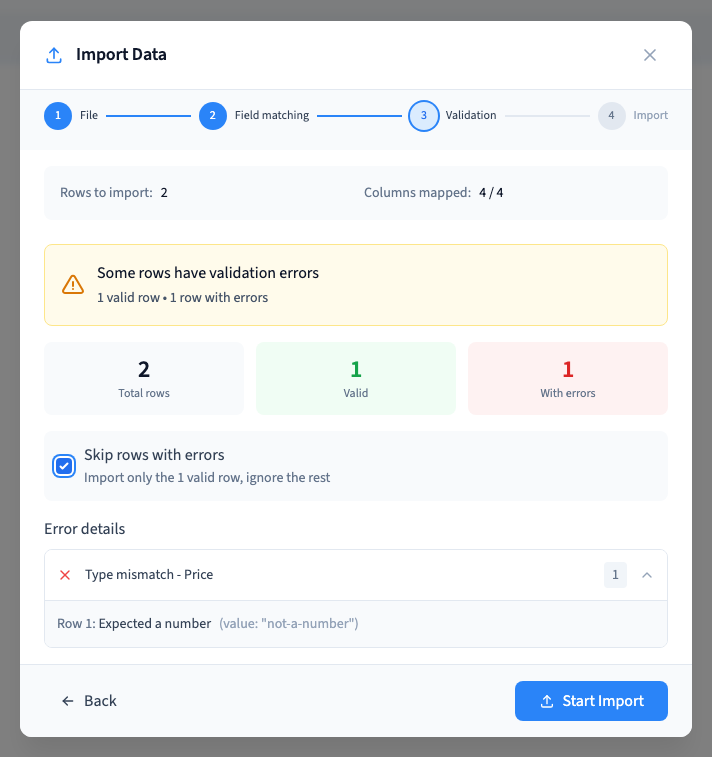
For a complete import, correct the errors and validate again. Start Import stays unavailable while incorrect rows remain unless you choose to skip them.
To take only the valid rows, select Skip rows with errors. The demonstration then imports just “A valid routine”. “Pause to review” is not added.
This option neither repairs the omitted rows nor keeps a later-import queue for them. Record what was excluded. To import those records later, prepare a file containing only the omitted rows rather than repeating the already imported records.
4. Check the final result and interrupted imports
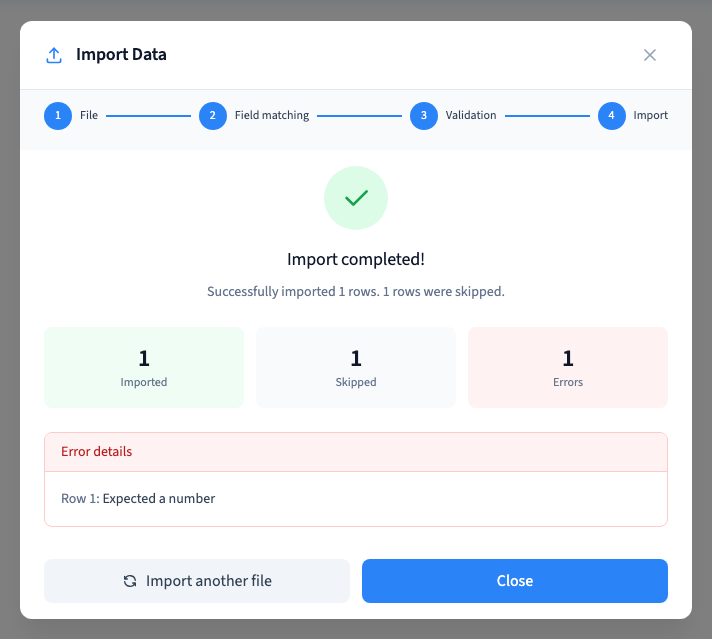
Wait for the result, compare the added count with the selected valid count and reopen representative records after reloading. The recording verifies that its one valid record persists.
After a network failure, inspect the records and the reported result before restarting. A missing response does not prove that nothing was saved. There is no promise of automatic recovery or universal deduplication here.
Additional real import checks cover invalid numbers and dates, zero, false, static slug and publication values, relations and a duplicate slug. Separate unit tests cover skipped counts and a later-batch failure with a simulated writer; these are not presented as additional live videos.
Follow the complete import · Correct a field match · Find existing records