
Set the consent categories and cookie controls
1. List the services the site uses
In Site > GDPR & Cookies, review the existing categories. Keep only the strictly necessary services in the essential category. Group optional services by the purpose a visitor can understand, such as site measurement.
2. Create a visitor-friendly category
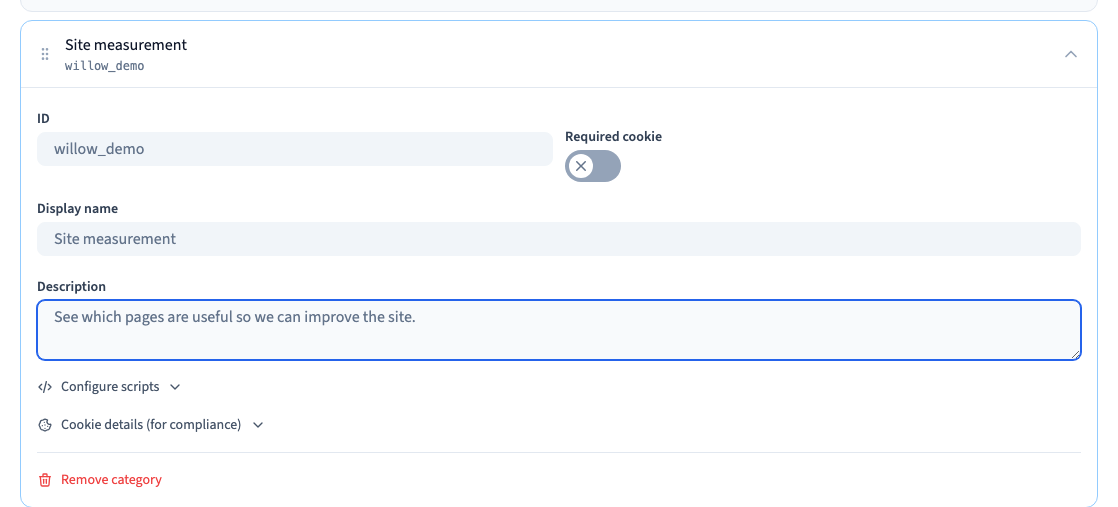
Click Add category. Choose a stable identifier, a readable name and a short description of what enabling it does. Check whether the category is required or optional. Translate the wording if the site is multilingual.
Could not play. Try the video controls.
3. Tie optional services to the right category
Use Configure scripts for the category if you need to load a script when that choice is allowed. Use the provider’s instructions for the placement and test in a private version. The demo uses a harmless test script to check the trigger.
4. Verify each choice
In fresh visitor sessions, reject all, accept all and select only the category you want to test. Confirm that an optional script runs only in the allowed cases. Verify that the site still works with optional categories disabled.
See also Set up and test the site consent banner.