
Define and read a conversion funnel
1. Define a short sequence
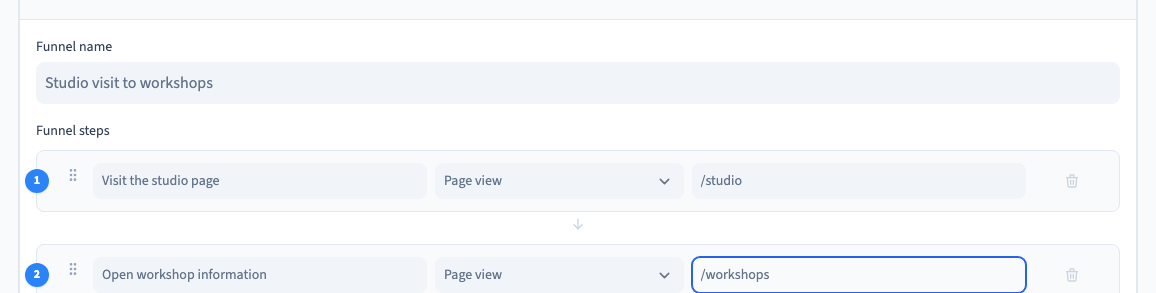
Choose the steps you want to measure in order. Start with meaningful actions like visiting a studio page and opening the workshop information. Use paths or configured events that represent each step.
2. Create the funnel in Analytics
Open Site > Analytics > Funnels and choose New funnel. Give it a descriptive name. Name each step, choose its type and enter the page or event you expect. Save, then reopen the list to confirm what was recorded.
Could not play. Try the video controls.

3. Try the journey as a visitor
Go through the pages in order in the environment you are measuring. Check that each relevant page view or event is collected. Keep the measurement period wide enough to include the visits you want to read.
4. Read drop-off with the underlying counts
Review the counts at successive stages before changing the site. A missing step can mean visitors stopped, or that the event definition does not match the real path. Check the configuration against a test journey first.
See also Read site visitor statistics.