
A lawyer website that is clear, sober and within your professional rules
A dismissal letter received on Friday, a separation that is turning sour, a supplier who stopped paying: the person who searches for a lawyer is worried and wants to know three things. Do you handle this kind of matter, how are fees set, and what happens after the first call. Communik lets you put together, in one evening, a sober site that presents your practice areas, your lawyers with their bar admission year, how you bill, and an appointment request on every key page.
Describe your business.
The AI writes your site.
Free to build. No card. Hosting included.
Live previewMake it yours, live.
Make it yours, live.
Colours, fonts, your name: the preview follows.
- 5Create your site
- 6Go live
Add more to your site. Each extra ships with its pages, sample content and a link in your menu, and adapts to your colours.
BlogAdd
Complete blog with articles, categories, and authors. Includes every page and sample data so you can start right away.
FAQAdd
Complete FAQ section with categories and accordion-style questions. Perfect for help centers and support pages.
TestimonialsAdd
Showcase customer testimonials with ratings, photos, and optional video testimonials. Build trust with social proof.
GalleryAdd
Media gallery with albums, images, and videos. Perfect for visual showcase and portfolio.
BookingAdd
Online appointment scheduling with availability, reminders and calendar sync Premium module: from €19/month with a yearly plan, billed with your Communik subscription.
Anything else (optional)
Your name and phone show up in the preview straight away. The rest is used to rewrite the site after you create your account.
Next: create your free account. Your site goes online at its own address, and the AI rewrites it with what you just told us.
Create my site · free, no cardLive preview of the chosen designLoads on the published page. This grey area is the preview slot.
Steps 4 and 5 happen after you create your account: the site is generated with your answers, then you publish it on your own domain when you are ready.
Ready-made designsSee your site before you sign up.
See your site before you sign up.
Designs already written for your trade.
Open a demo, click around, then use the one you like.
The chatRun your site from the chat.
Run your site from the chat.
A photo, an address, a page: no expert to pay.
Write what you want changed, the way you would send a text. The chat makes the change on your site.
ChatYour site
Change our address: 14 rue des Lilas, Nantes.
Done. The new address is on the home page, the contact page and the footer.
Add this photo to my gallery.
Drop it here, I will put it in the gallery.
In the editorEasy mode: you click, you change it.
Easy mode: you click, you change it.
The AI does what you do not know how to do.
Lawyer06 12 34 56 78
One page per practice area, with typical cases
Edit the text
Easy mode
Click a text or a picture in the preview of your site and change it right there.
Rewrite my page in a warmer tone.
The AI rewrites the page
The AI does the rest
Rewrite a page, add a section, change the colours: describe it, the AI builds it.
See it in actionOne minute to see how it works.
One minute to see how it works.
From the first sentence to the site online.
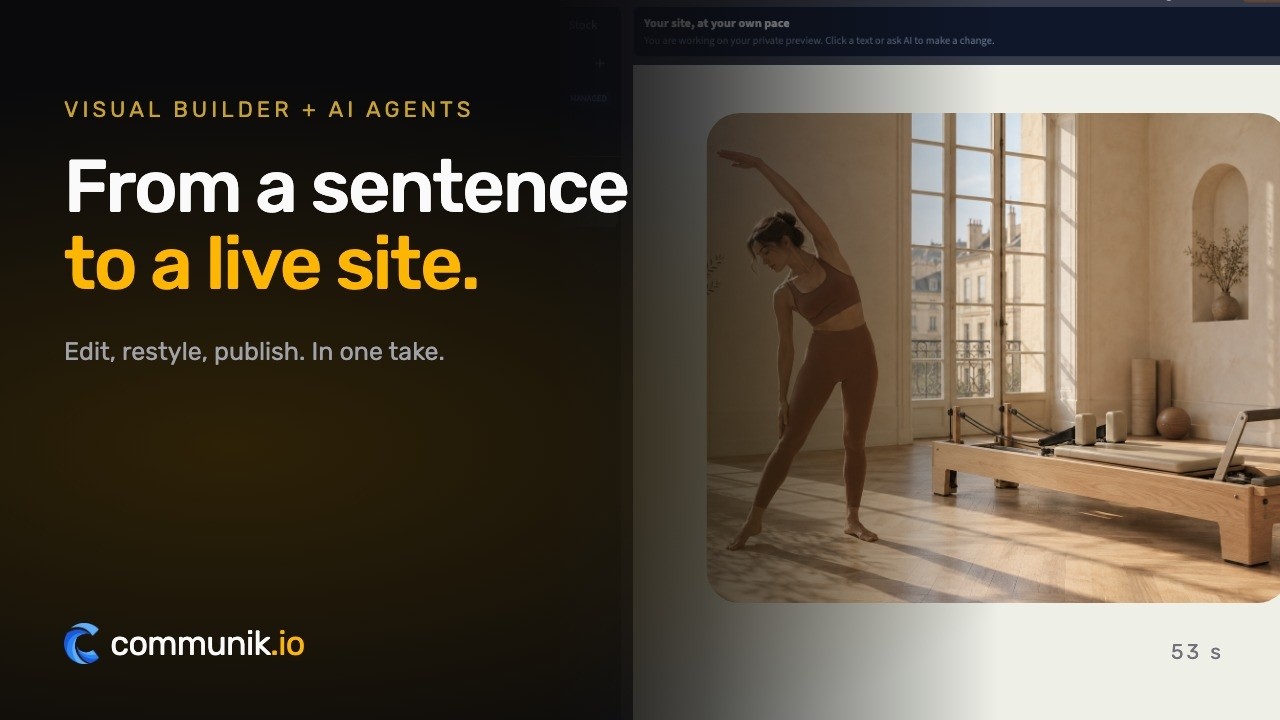
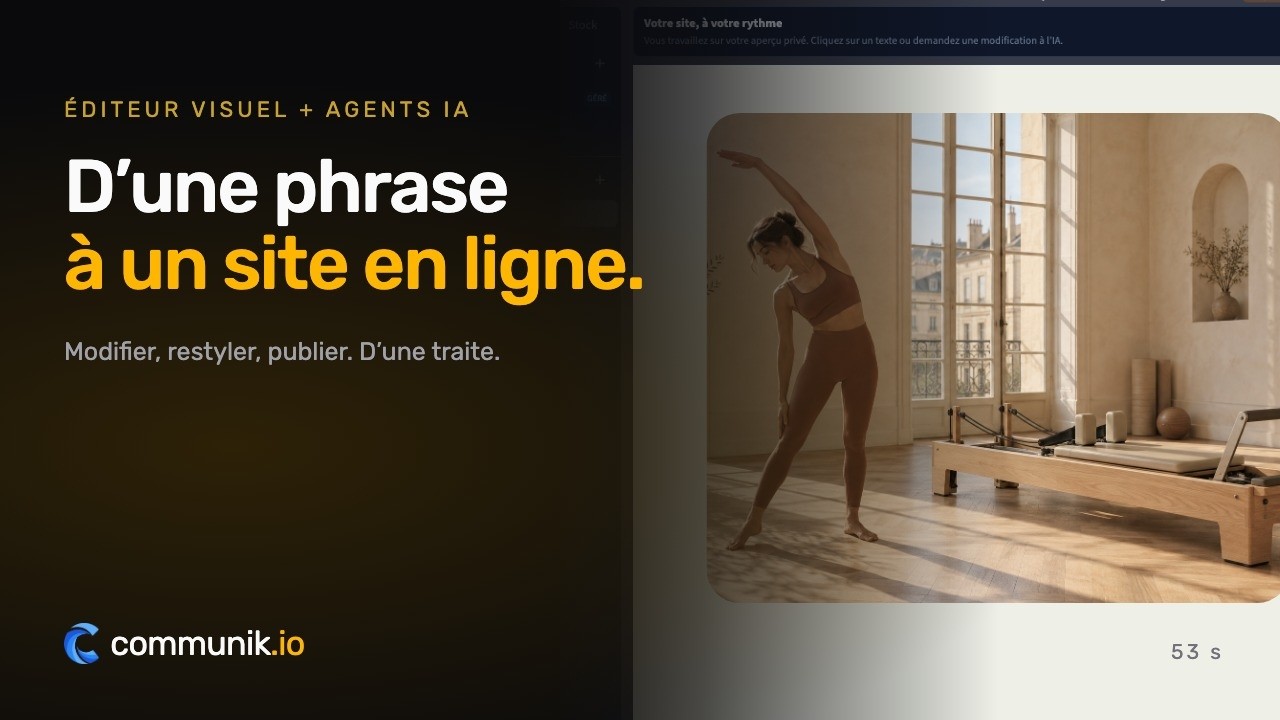
Real product captures, staged pointer and typing.
Online bookingYour customers book online.
Your customers book online.
You set your hours, customers pick a slot on your site, the booking lands in your calendar.
From €19/ month, as an option
Book an appointment
Mon 6Tue 7Wed 8Thu 9
8:3010:0014:0015:3016:3018:00
Confirm Tuesday at 14:00What you get
A site that works while you work.
Four things that turn a visitor into a customer, in place from the first day.
One page per practice area, with typical cases
Family, employment, business, criminal defence: each area has its page with the cases you take, the fee guidance and the lawyers who handle them, plus a mark for urgent matters.
Five designs, from the established firm to the defence line
Pick a design, enter the firm's name and phone number, and the preview on this page shows your site as you type. You decide to create an account afterwards, or not at all.
Lawyers presented with their bar year
Photo, role, year of admission, practice areas and email for each lawyer, and a reminder on every practice page of who will handle the file.
How you bill, in three steps
A first consultation at a stated price, a written fee agreement, itemised invoices: the section is ready, you adjust it to your practice.
The pages you get
Not an empty template to fill in: pages already written and already linked to each other, with example content you correct instead of writing from scratch.
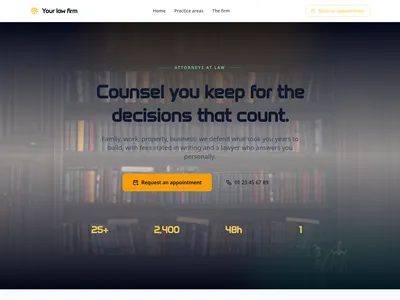
/Law firm, clear advice, stated fees and a lawyer who answers
Home page: the firm promise, practice areas, the lawyers, how fees work, ethical guarantees and the appointment form
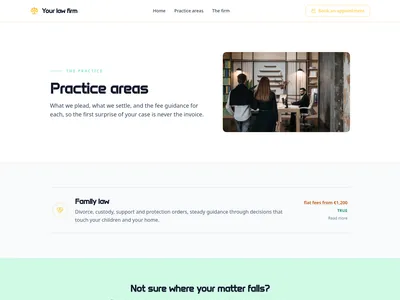
/practice-areasPractice areas, what we handle and the fee guidance for each
Every practice area, with its short description and fee guidance

/practice-areas/[slug], advice and representation
One page per practice area: what it covers, typical cases, fee guidance and the lawyers who handle it
What is added to your project
Ready-to-use databases. Edit one row and every page that shows it updates.
Practice areas
9 columns · 6 rowsTitle, Slug, Short description, Description, Icon, Fee guidance, Typical cases, Urgent matters handled, Order
Lawyers
9 columns · 3 rowsName, Slug, Role, Biography, Photo, Bar admission year, Specialties, Email, Order
The checklist
What your websitemust contain.
The sections that actually bring in enquiries, and the ones you can skip.
The price of the first consultation
Charged or not, its length, and what to bring to it.
Practice areas in everyday words
Dismissal, divorce, unpaid invoice, rather than the names of the codes.
The written fee agreement
Hourly rate, fixed fee or combination, and the legal aid you accept.
Bar admission year and practice areas
For each lawyer, with a recent photo and an email address.
Secrecy and conflict checks
Stated plainly, before the visitor describes the matter.
Legal notices of a regulated profession
Your title, your bar, the applicable professional rules and the consumer mediator of the profession.
01Budget
What it reallycosts.
Real figures, including what you pay elsewhere and what you no longer pay here.
Putting the practice online
Creating and previewing it is free, with no bank card. On the firm's own domain it costs €14 excl. VAT a month, invoiced once a year, with hosting and the SSL certificate.
Paid consultations and articles
Online booking with payment of the consultation is an option from €19 excl. VAT a month, paid to the firm's own Stripe account with no Communik commission. FAQ and blog modules can be added for your legal news.
What stays with the firm and the Bar
Your case management software, the signature of fee agreements, secure exchange of case documents, and the purchase of a domain name for the firm, if it has none.
02To avoid
The mistakes thatcost you clients.
Seen on hundreds of sites in this trade, and each one is cheap to fix.
Promising an outcome
No lawyer may guarantee the result of a case, and visitors know it.
Calling yourself a specialist without the certificate
Say practice areas instead: it is accurate and allowed.
Pages written for other lawyers
Article numbers and Latin lose the person who simply wants to know if you can help.
Silence on the first consultation
Without its price and length, the worried visitor puts off writing.
A site the bar was never told about
Inform your bar council when the site goes online, and give its domain names.
Nobody browses law firm websites for pleasure. People type employment lawyer the evening a dismissal letter arrives, or divorce lawyer in Lyon after a hard conversation at the kitchen table. They read on a phone, often late, and they look for facts rather than fine words.
What does a first consultation cost, and how long does it last?
It is the question most visitors hesitate to ask on the phone. Answer it on the site: whether the first meeting is charged, its price including VAT, its usual length, and what to bring. Add who calls back, within what delay you usually reply, and whether the meeting can take place by video. Four short lines turn a vague worry into a decision to write.
Practice areas named the way clients describe their problem
Clients do not search for "labour litigation"; they search for an unfair dismissal, a contested will, an unpaid invoice. Give each practice area its own page in plain words, with the typical cases you take, the fee guidance and the lawyer who handles them. It is also honest to say what you do not take: a sentence that redirects the wrong matter saves the visitor a call and a disappointment.
Fee agreements, hourly rates and fixed fees, explained without jargon
In France, a written fee agreement is required for every matter, except in an emergency, in cases of force majeure or under full legal aid. Say it, then explain how you bill:
- an hourly rate, a fixed fee for a defined task, or a combination;
- an additional fee linked to the outcome, if one is agreed, since a fee based on the outcome alone is not allowed;
- itemised invoices, and whether you accept cases under legal aid.
A visitor who understands how the bill is built trusts the rest of the page, and arrives at the first meeting with fewer fears and better questions.
Communication rules that apply to a lawyer website
French lawyers may advertise, provided the information is sincere and respects the essential principles of the profession, without any comparison with other lawyers or disparaging remark. That rules out superlatives, success rates and any promise about the outcome of a case. The word "specialist" is reserved for holders of a certificate of specialisation; otherwise, speak of practice areas. The national rules of the profession also ask you to inform your bar council when the site goes online, with its domain names. The site informs: it never canvasses anyone.
Police custody and urgent matters: say when you can be reached
Urgency changes how people read. If your firm handles criminal defence, custody or urgent family protection, the visitor needs a number and a time range, not a paragraph. Say which matters are treated as urgent and how to reach the firm outside office hours, if you do. If you do not take urgent matters, say that too, and suggest the bar's duty service: the person in trouble will remember who was straight with them.
Add your firm's name in the preview below and read your practice areas as a client would, before creating anything.
Pricing€14 a month, once your site is live.
€14 a month, once your site is live.
Building it costs nothing.
Prices excluding VAT. €14 a month billed yearly, or €19 month to month. Cancel whenever you like.
SolopreneurOne site, online and looked after
€14/ month
- Your site on your own domain name
- Hosting and SSL certificate included
- The chat and the AI: 2,000 credits a month
Online booking
Option, add it whenever you want
No card to start. You choose your plan when you publish.
Done for youNo time? We do it all for you.
No time? We do it all for you.
From €1,200 excl. VAT.
Your showcase site and your modules installed: we create every page that presents your services and put the site online. You send us your photos, texts and business details, and that is what makes a site accurate.
- Every service you offer, with its own page
- Your modules installed and set up, online booking included
- Your domain name connected, the site published
- Everything stays editable afterwards
Starting at
€1,200 excl. VAT
An exact quote after a first conversation. You provide the photos, texts and information about your business.
Tell us about your projectWe get back to you to scope it together. No obligation.
A person answers you
A question? Write to me, I will answer.
I founded Communik and I read every request. Tell me about your business: we look at it together and I tell you plainly what you need, whether you build the site yourself or we build it for you.
Questions
Before you start.Everything else, just ask.
What people ask before they get going.
May I publish my fees on the site?
Yes. Each practice area can show fee guidance, and the fees section explains the written fee agreement and how invoices are itemised. One setting hides the figures if you prefer to discuss them at the first meeting.
Can a client pay for a first consultation online?
Yes, if you add online booking (€19 excl. VAT a month or more): the client picks a slot and pays on your own Stripe account, with no Communik commission. Without it, the appointment request reaches the firm and you call back.
Where does the appointment request go?
To the firm's email address. The form asks what the matter concerns, the person's availability and a short description, and the confirmation message reminds them that the exchange stays confidential.
Can I call myself a specialist on my site?
Only if you hold a certificate of specialisation in that field. The sample pages speak of practice areas, which every lawyer may use.
Do I have to tell my bar about the website?
Yes. The national rules of the profession ask you to inform your bar council when you open or substantially change a website, and to give its domain names.
Can each lawyer of the firm have a profile?
Yes. Each profile shows the photo, the role, the year of admission to the bar, the practice areas and an email address. A setting removes the team section for a lawyer practising alone.
Try it for real, the risk is on us
You saw your site above. Creating the account just makes it yours.
Free to build
Your site is generated and online at its own address at no cost. You pay only when you publish it on your own domain.
No commitment
Monthly subscription, cancel whenever you want. No setup fee, no 12-month contract, no sales call.
Everything included
Hosting, SSL, updates, contact and quote forms, reviews and local SEO structure. Nothing to install.
More trades
Another trade?
Each one comes with its own live demo site you can browse before you start: same editor, same price, content already written for that job.