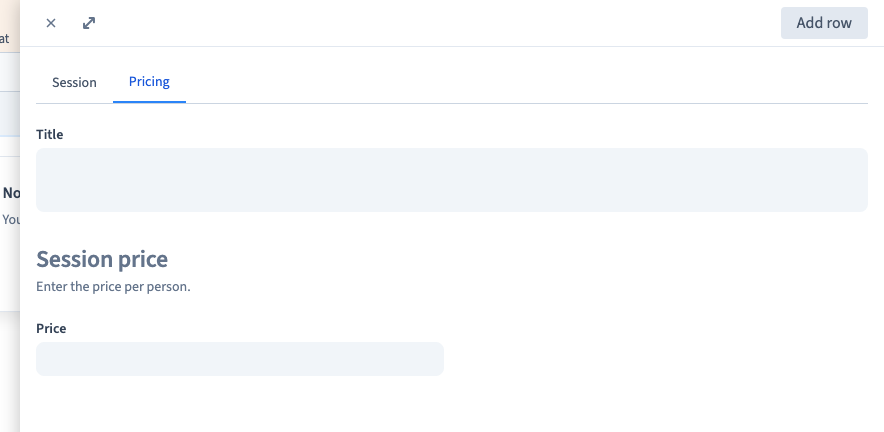
Organise the record editing form
A collection with many fields needs a clear entry form. Layout settings organise the editor's work without rearranging the public page.
1. Open a field's presentation settings
Open Data > Collection > Edit columns & collection, select the field and expand Show visual configuration. These controls belong to the collection's editing form.
2. Choose a width
Set the field to the width you need. Half-width fields can share a row when enough space is available; use a wider field for long content. Check the real form rather than assuming that a width choice guarantees a particular arrangement in every viewport.
3. Add useful visual guidance
Use the available presentation options to make important inputs easier to recognise. Prefer a few meaningful cues over a different decoration for every field.
4. Add a section and explanation
Enter a section title and a short description. State the unit or decision the editor needs: “Enter the duration in minutes” is more useful than repeating “Duration”. Save the field.
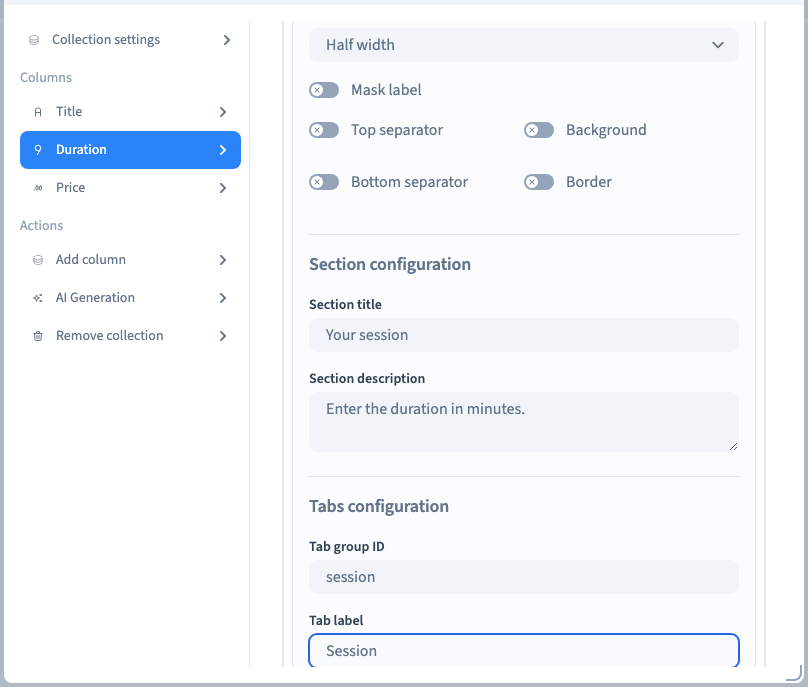
5. Group fields into tabs
Set a stable tab group identifier and a readable label. Fields sharing a group belong together. The example separates Session from Pricing and gives their fields half width.
Could not play. Try the video controls.
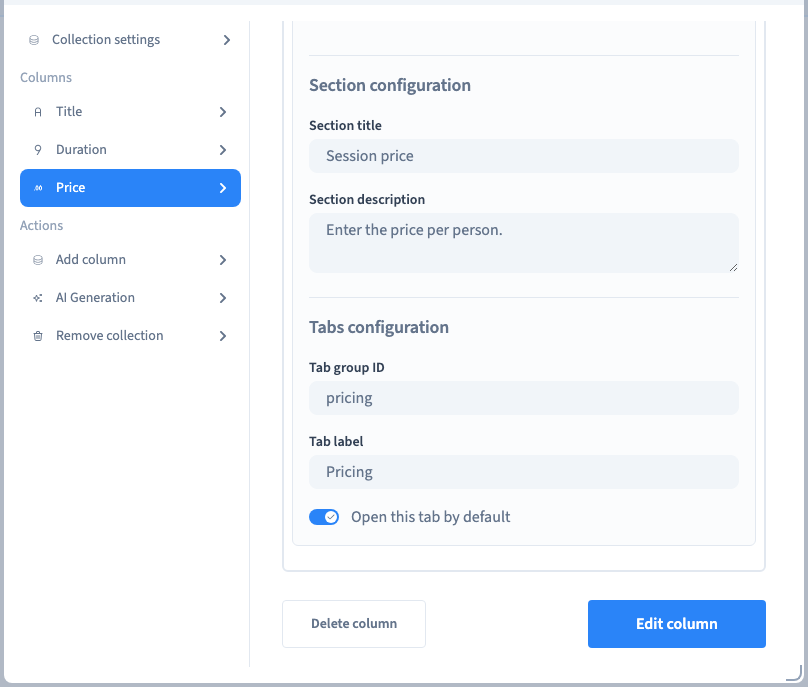
6. Review the default tab
When the default-tab option is used, reopen a fresh record form and check which tab appears first. Keep the first tab useful for the most common entry task. Do not confuse a tab group identifier with its visible label.
7. Check the actual entry form
Save, choose Add row and inspect the resulting form. Switch tabs and check that the correct fields appear. Confirm that labels and descriptions remain clear. Reopen the collection settings to check persistence.
These settings organise content entry. Use the builder to control how visitors see the same data.
Enter a record · Choose field types