
Store a destination in a Link field
A Link field stores the destination belonging to a record. It does not automatically create a button on the public page. The page's link or button must use that field as its destination.
1. Prepare the Link field
Open Data > Collection > Edit columns & collection, add a Link column and give it a useful name, such as Learn more or Contact. Review whether internal links, external links or both are allowed, then save the structure.
An ordinary Text field called “Link” does not provide the destination selector.
2. Enter an external web address
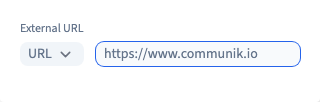
Add or edit a record and open its Link field. Choose External, keep the URL type and enter the full address, including https://. The recording uses https://www.communik.io.
Review a typed or pasted address for mistakes and unwanted spaces. Close the destination selector to return to the record. Choosing the destination does not replace saving the record itself.
Could not play. Try the video controls.
3. Choose another destination type
For a page of the same site, choose Internal > Add link and select the page. This preserves a reference to that page rather than requiring you to copy the full website address.
A dynamic page may require values for its URL segments. A page template alone does not identify a particular record; check the resulting address with real content.
For contact details, choose External, then the Email or Phone protocol. Enter the address or number without manually adding mailto: or tel:. The destination type identifies that behaviour.
Email links open the visitor's email application; phone links depend on the applications available on their device. Neither sends an automatic message from Communik.
4. Save and reopen the destination
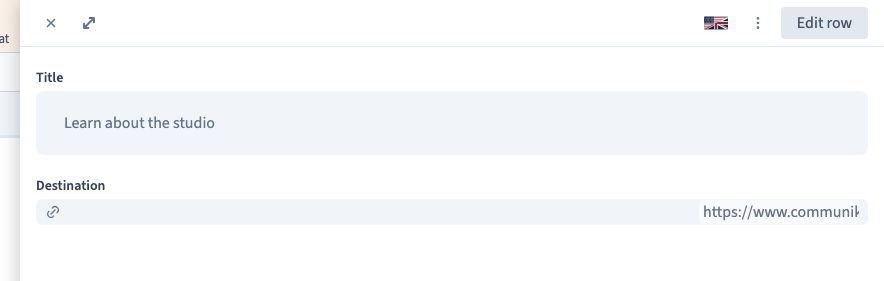
Save, reload the collection and reopen the record. Check the complete destination. To change it, reopen the same field, choose the new destination and save again.
The recording verifies the saved web address. Additional real UI checks save and reload an internal page reference, an email address and a phone number using fictional contact details. They do not send any message.
5. Use the destination in the design
Connect the public button's destination to this field. Its visible label and its destination are separate choices: “Learn more” can stay fixed while each record opens a different page.
Check several records after publishing to your test site. Include one without a link and decide whether to hide its button or offer a clear alternative. This article demonstrates the CMS destination field; it does not claim that an unconnected public button has been verified.