Take over an older menu and understand detachment
Taking over an older menu brings its links into the visual editor. Compare the result before applying it: destinations can remain while the presentation changes.
1. Open the existing menu
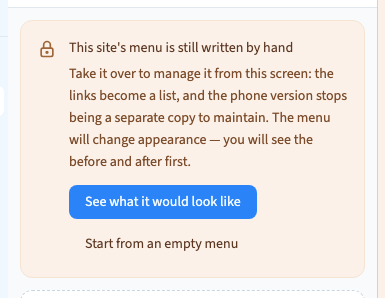
In Site, choose Menu. Communik opens its panel in Design, beside the page. If the header is not managed yet, it offers a preview of the takeover or an empty menu.
Choose the takeover when the old header already has useful links. Starting empty is for rebuilding the navigation.
2. Compare before applying
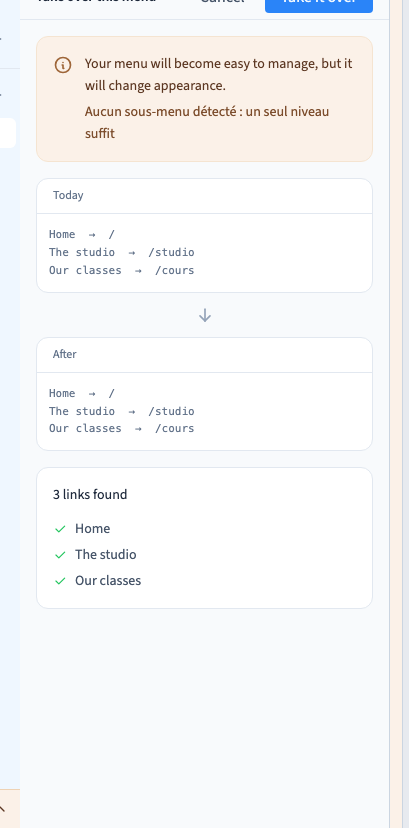
Choose See what it would look like. Compare the current and proposed previews. Check the detected destinations, order and sub-menus, including the addresses of similarly named links.
The proposal uses an available menu appearance. It does not promise to reproduce every detail of an old custom design. Where separate desktop and phone menus existed, review the combined entries and possible duplicates.
Could not play. Try the video controls.
3. Apply and verify
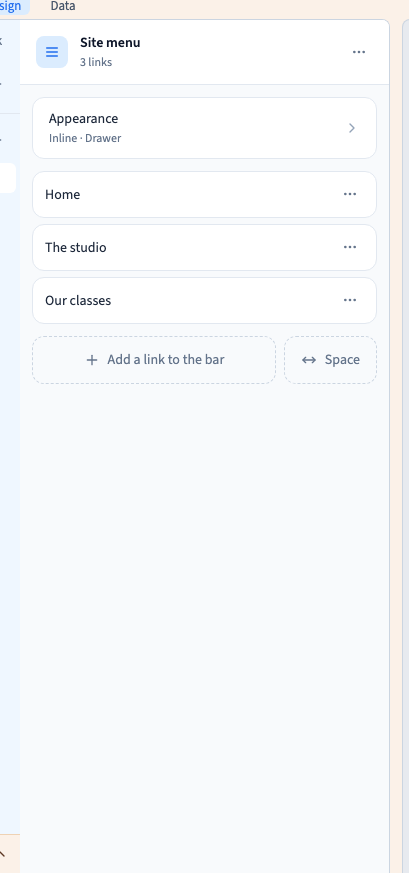
When the proposal suits the site, apply the takeover. The entries become available in the visual list. Adjust their appearance and details using the normal menu settings.
The demonstration takes over Home, The studio and Our classes. Check every destination in staging before replacing a public site. On a phone, test menu opening, closing, sub-menus and important actions. Test any old custom behaviour separately.
4. Understand detachment
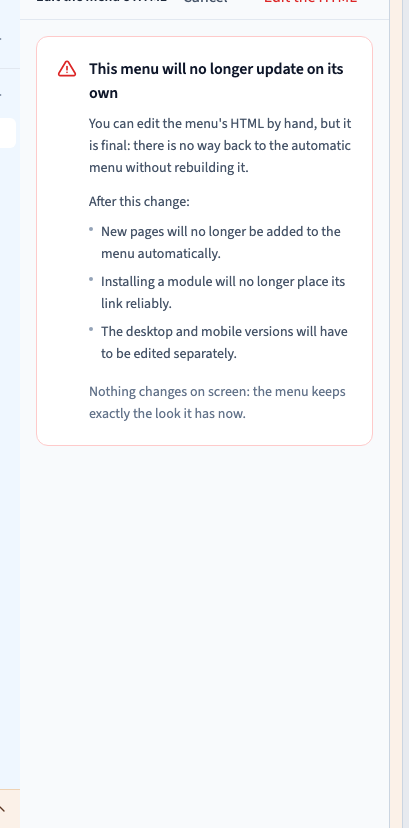
The advanced command for editing the menu's HTML displays a warning. After detachment, the current appearance remains but the menu stops following automatic menu settings. Taking it over again rebuilds a managed menu; it does not restore a custom appearance identically.
The video reads the warning and chooses Cancel, keeping the managed menu. Actual detachment is tested separately on the disposable example. No code is entered in the demonstration.
For agencies: maintaining a hand-written menuKeep a copy of the design and test destinations, accessibility and phone use. A hand-written menu needs manual maintenance. Prefer the managed menu for the ordinary nocode workflow.