
Create a micro-nursery website that parents shortlist months before going back to work
Expecting parents start looking for childcare long before the birth, and they compare three or four nurseries from the sofa in the evening. They want to see the rooms, understand a typical day, know how the settling-in goes and what the CAF will cover, then ask to visit the one that made them feel confident. Communik builds a micro-nursery site that shows all of that, and turns a late-night search into a visit request with the child's age and the start date.
Describe your business.
The AI writes your site.
Free to build. No card. Hosting included.
Live previewMake it yours, live.
Make it yours, live.
Colours, fonts, your name: the preview follows.
- 5Create your site
- 6Go live
Add more to your site. Each extra ships with its pages, sample content and a link in your menu, and adapts to your colours.
FAQAdd
Complete FAQ section with categories and accordion-style questions. Perfect for help centers and support pages.
TestimonialsAdd
Showcase customer testimonials with ratings, photos, and optional video testimonials. Build trust with social proof.
GalleryAdd
Media gallery with albums, images, and videos. Perfect for visual showcase and portfolio.
BlogAdd
Complete blog with articles, categories, and authors. Includes every page and sample data so you can start right away.
Anything else (optional)
Your name and phone show up in the preview straight away. The rest is used to rewrite the site after you create your account.
Next: create your free account. Your site goes online at its own address, and the AI rewrites it with what you just told us.
Create my site · free, no cardLive preview of the chosen designLoads on the published page. This grey area is the preview slot.
Steps 4 and 5 happen after you create your account: the site is generated with your answers, then you publish it on your own domain when you are ready.
Ready-made designsSee your site before you sign up.
See your site before you sign up.
Designs already written for your trade.
Open a demo, click around, then use the one you like.
The chatRun your site from the chat.
Run your site from the chat.
A photo, an address, a page: no expert to pay.
Write what you want changed, the way you would send a text. The chat makes the change on your site.
ChatYour site
Change our address: 14 rue des Lilas, Nantes.
Done. The new address is on the home page, the contact page and the footer.
Add this photo to my gallery.
Drop it here, I will put it in the gallery.
Create a page for the settling-in page.
The page is ready, with a link in your menu.
In the editorEasy mode: you click, you change it.
Easy mode: you click, you change it.
The AI does what you do not know how to do.
Les Petits Pas06 12 34 56 78
A small nursery where every child is known by name.
Edit the text
Easy mode
Click a text or a picture in the preview of your site and change it right there.
Rewrite my page for the settling-in page in a warmer tone.
The AI rewrites the page
The AI does the rest
Rewrite a page, add a section, change the colours: describe it, the AI builds it.
See it in actionOne minute to see how it works.
One minute to see how it works.
From the first sentence to the site online.
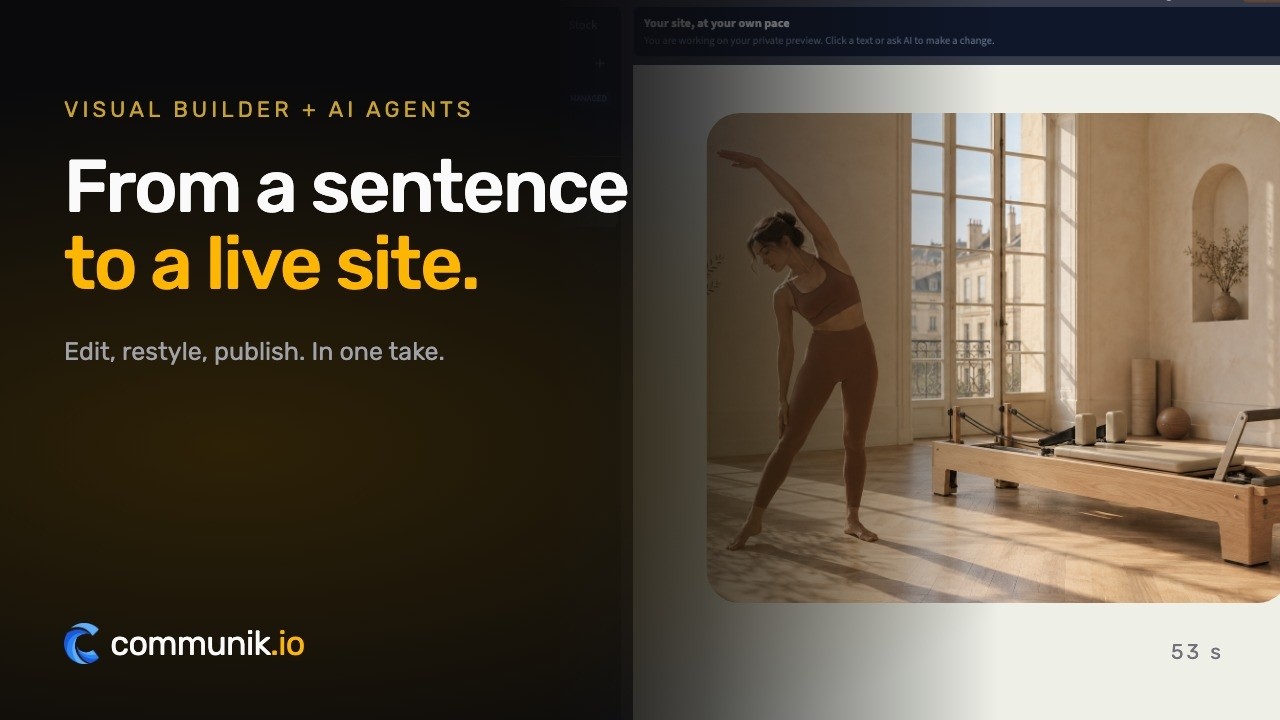
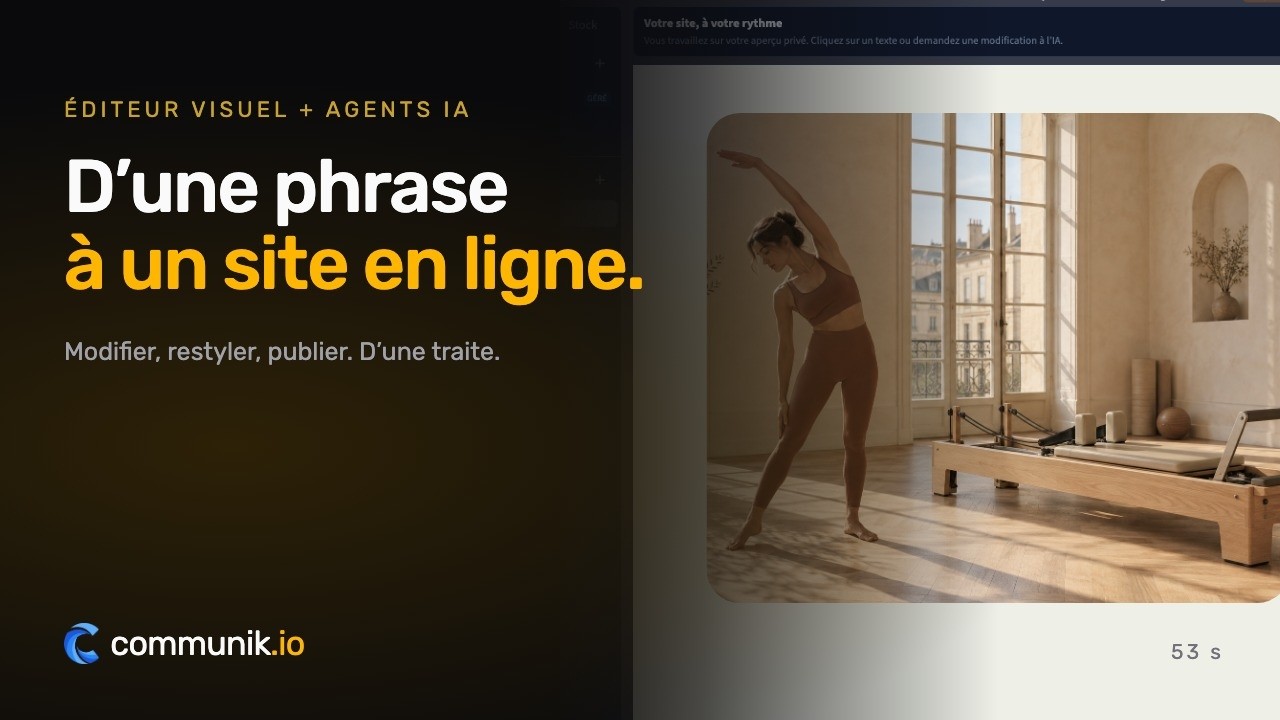
Real product captures, staged pointer and typing.
Online bookingYour customers book online.
Your customers book online.
A visit, regular care, a few hours of occasional care.
You set your hours, customers pick a slot on your site, the booking lands in your calendar.
From €19/ month, as an option
Book an appointment
Mon 6Tue 7Wed 8Thu 9
8:3010:0014:0015:3016:3018:00
Confirm Tuesday at 14:00What you get
A site that works while you work.
Four things that turn a visitor into a customer, in place from the first day.
The typical day that parents look for first
Arrival, play, meals, naps and departures laid out clearly, so that a parent can picture their child there before even visiting.
Trust built on facts, not on adjectives
The departmental authorisation, the PMI inspections, the qualified team and the operating rules, stated plainly on every page.
Visit requests you can answer straight away
Age, start date and days needed arrive with the request, so you know at once whether a place can match before calling back.
Wooden blocks, a notebook or a cork board: try your nursery
Type your nursery name on this page and see it in Wooden Blocks, Liaison Notebook, Montessori Shelf, Cork Board or Shape Sorter.
The pages you get
Not an empty template to fill in: pages already written and already linked to each other, with example content you correct instead of writing from scratch.
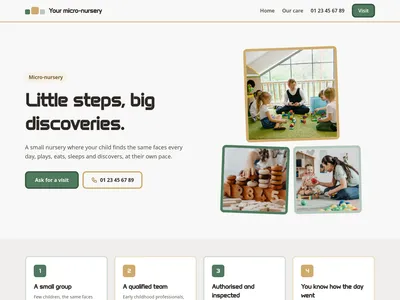
/Micro-nursery in your town: regular and occasional care, visits
Home page: the nursery, its commitments, its care, registration in four steps, what to prepare, parents' reviews, questions, hours and the visit request form
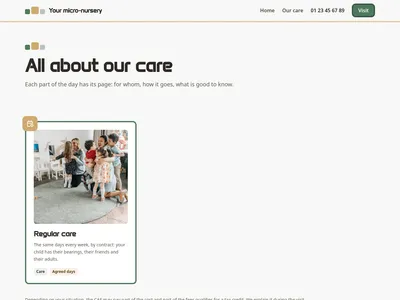
/careOur care: regular and occasional, settling-in, meals, naps, garden
Every part of the care, the parents' questions and the visit request form

/care/[slug]At the micro-nursery
One page per part of the care: for whom, how it goes, good to know, and the visit request form
What is added to your project
Ready-to-use databases. Edit one row and every page that shows it updates.
Our care
9 columns · 7 rowsPart of the care, Slug, One-line description, Full description, Family, When, Icon, Photo, Order
Questions
3 columns · 6 rowsQuestion, Answer, Order
The checklist
What your websitemust contain.
The sections that actually bring in enquiries, and the ones you can skip.
A typical day with real times
The hour of the nap is the question every parent asks.
Regular and occasional care told apart
A contract for the same days, or a few hours when places are free.
The settling-in described session by session
The first separation, explained before it happens.
Meals adapted to each age
From the first purees to pieces, allergies written in a care plan.
CAF aid and tax credit, without figures
What may apply, explained during the visit.
Opening hours and annual closures
The weeks of August that parents need to plan around.
01Budget
What it reallycosts.
Real figures, including what you pay elsewhere and what you no longer pay here.
Shaping the nursery's site
You choose a design, write your care, your hours and your closures, and look at the preview without paying anything or giving a card.
Making it public
The site goes live on your domain for €14 excl. VAT a month, paid annually, hosting and SSL included. You can add modules for parents' questions, reviews, a photo gallery or a blog.
What stays with the nursery
The authorisation from the departmental council, the PMI inspections, your educational project and operating rules, your staff's diplomas, your insurance, and the visits themselves.
02To avoid
The mistakes thatcost you clients.
Seen on hundreds of sites in this trade, and each one is cheap to fix.
Photos of children without written consent
A serious breach, and parents notice.
No word on the settling-in
The first worry of every parent stays unanswered.
Promising a place to everyone
Disappointed families do not come back.
Invented staff ratios or capacities
Easy for a parent to check with the PMI.
A phone number only, no way to ask for a visit
Parents search at night, when you cannot answer.
Parents start looking for a nursery months before they need one, usually at night, once the baby is asleep. They type micro-nursery + their town, open three or four sites in tabs, and compare. The nursery they visit first is rarely the closest one: it is the one whose site let them picture a day for their child and answered the questions they did not dare ask on the phone.
How does a day go, from the morning drop-off to the evening?
This is the question behind almost every visit. Answer it with real times: arrival and a word with the parents, play in small groups, lunch, nap in a quiet room, snack, garden or free play, departures and the story of the day. Say that babies keep their own rhythm for meals and sleep. A parent who sees that timetable stops imagining and starts projecting, and that is what turns a search into a visit request.
The first separation, explained before it happens
Settling-in worries parents more than they admit. Describe it simply: short sessions with a parent present, then a little time alone, then longer, at the child's pace. Mention the comforter and the familiar object, and that one professional becomes the child's first point of reference. Parents who have read this arrive at the first session calmer, and so does their child. Some nurseries also add how long it usually lasts: say it in days rather than as a promise.
Showing what makes a nursery trustworthy
A micro-nursery opens with the authorisation of the departmental council, after the opinion of the PMI service, which inspects it afterwards. The team is made of qualified early childhood professionals, led by a technical referent. Write those facts plainly, without inventing ratios or capacities that a parent can easily check. Add the questions families really ask: illness, medication, meals and allergies, compulsory vaccinations, places reserved by employers, and what happens during the annual closure in August.
A micro-nursery website that parents can share
Parents rarely choose alone: they send links to each other, to a grandparent, sometimes to an employer. The module gives each part of the care its own page, regular and occasional care, settling-in, meals, naps, play and early learning, garden and outings, so that each link answers one question. Five designs set the tone, from painted wooden toys to a liaison notebook with the typical day, a Montessori shelf, the notice board at the entrance, and geometric shapes for nurseries that work with local employers.
Money, aid and the question nobody asks first
The cost is on every parent's mind, yet few call to ask. Explain that depending on how the nursery is funded and on the family's situation, the CAF may cover part of the cost and part of the fees qualifies for a tax credit, and that you go through it during the visit. A parent searching for CAF aid for a nursery then finds an honest answer on your site rather than on a forum.
Pick the design that looks like your nursery, type its name on this page, and see the site parents will open tonight.
Pricing€14 a month, once your site is live.
€14 a month, once your site is live.
Building it costs nothing.
Prices excluding VAT. €14 a month billed yearly, or €19 month to month. Cancel whenever you like.
SolopreneurOne site, online and looked after
€14/ month
- Your site on your own domain name
- Hosting and SSL certificate included
- The chat and the AI: 2,000 credits a month
Online booking
Option, add it whenever you want
No card to start. You choose your plan when you publish.
Done for youNo time? We do it all for you.
No time? We do it all for you.
From €1,200 excl. VAT.
Your showcase site and your modules installed: we create every page that presents your services and put the site online. You send us your photos, texts and business details, and that is what makes a site accurate.
- Every service you offer, with its own page
- Your modules installed and set up, online booking included
- Your domain name connected, the site published
- Everything stays editable afterwards
Starting at
€1,200 excl. VAT
An exact quote after a first conversation. You provide the photos, texts and information about your business.
Tell us about your projectWe get back to you to scope it together. No obligation.

A person answers you
A question? Write to me, I will answer.
I founded Communik and I read every request. Tell me about your business: we look at it together and I tell you plainly what you need, whether you build the site yourself or we build it for you.
Questions
Before you start.Everything else, just ask.
What people ask before they get going.
Can I show my prices on the site?
You can, but most micro-nurseries do not, because the cost depends on how they are funded and on each family's CAF situation. The designs explain that the CAF may cover part of the cost and that part of the fees qualifies for a tax credit, without any amount.
Is the PMI authorisation mentioned?
Yes, in the commitments and in every footer: the nursery opened with the authorisation of the departmental council after the opinion of the PMI service, which inspects it. No authorisation number is invented.
Can parents register online?
No, and that is deliberate. Parents ask for a visit with their child's age, the days needed and the start date. You call them back, meet them, and registration happens at the nursery with your operating rules.
We have a Montessori approach. Is there a design for that?
The Montessori Shelf design was drawn for calm, nature-oriented nurseries: earth colours, low shelves, few words. The four others suit more classic nurseries, from painted wooden blocks to the notice board at the entrance.
Can I add photos of the children?
The module uses neutral photos to start with. You replace them with your own once the parents have agreed in writing, or show the rooms and the toys instead.
Some employers reserve places with us. Can the site say so?
Yes. The Shape Sorter design has a band addressed to employers, and every design has a question on places reserved through an employer.
Try it for real, the risk is on us
You saw your site above. Creating the account just makes it yours.
Free to build
Your site is generated and online at its own address at no cost. You pay only when you publish it on your own domain.
No commitment
Monthly subscription, cancel whenever you want. No setup fee, no 12-month contract, no sales call.
Everything included
Hosting, SSL, updates, contact and quote forms, reviews and local SEO structure. Nothing to install.
More trades
Another trade?
Each one comes with its own live demo site you can browse before you start: same editor, same price, content already written for that job.